> ## Documentation Index
> Fetch the complete documentation index at: https://docs.gcore.com/llms.txt
> Use this file to discover all available pages before exploring further.
# Control access to the content with country, referrer, IP, and user agents policies
## Referrer access policy
Referrer access policy is a restriction to publish the links to content on your site on other sites. To enable the option open the [CDN resource](https://portal.preprod.world/cdn/resources/list), in the **Resource settings**, select **Access**, and then open **Referrer access policy**.
By default, there are no restrictions by referrer to your CDN resource. You can set up allow or block Policy.
### Allow referrer policy
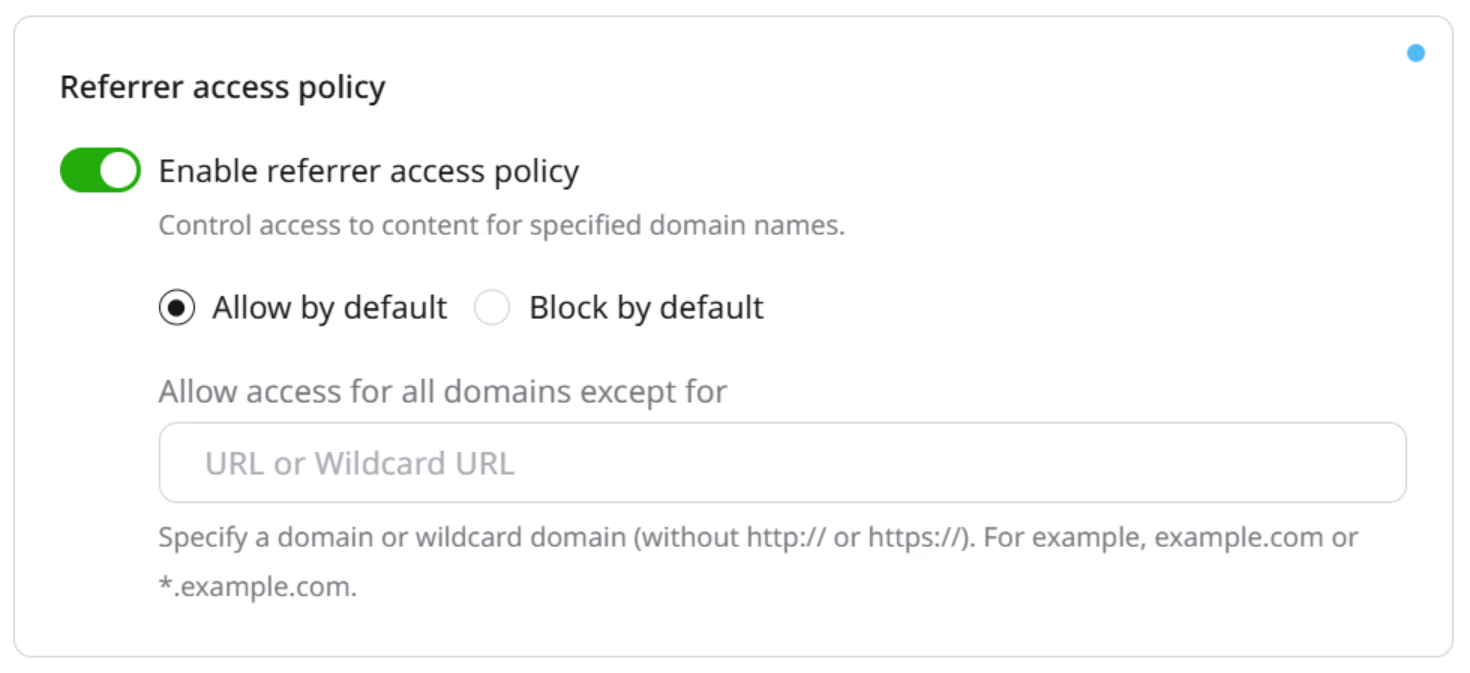 Specify domains to which you would like to block access.
* `www.domain.com` if you want to block access to the specific domain
* `*.domain.com` if you want to block access to all subdomains of domain.com
When users request data from specified domains, they will get the denial of access.
### Block referrer policy
Specify domains to which you would like to block access.
* `www.domain.com` if you want to block access to the specific domain
* `*.domain.com` if you want to block access to all subdomains of domain.com
When users request data from specified domains, they will get the denial of access.
### Block referrer policy
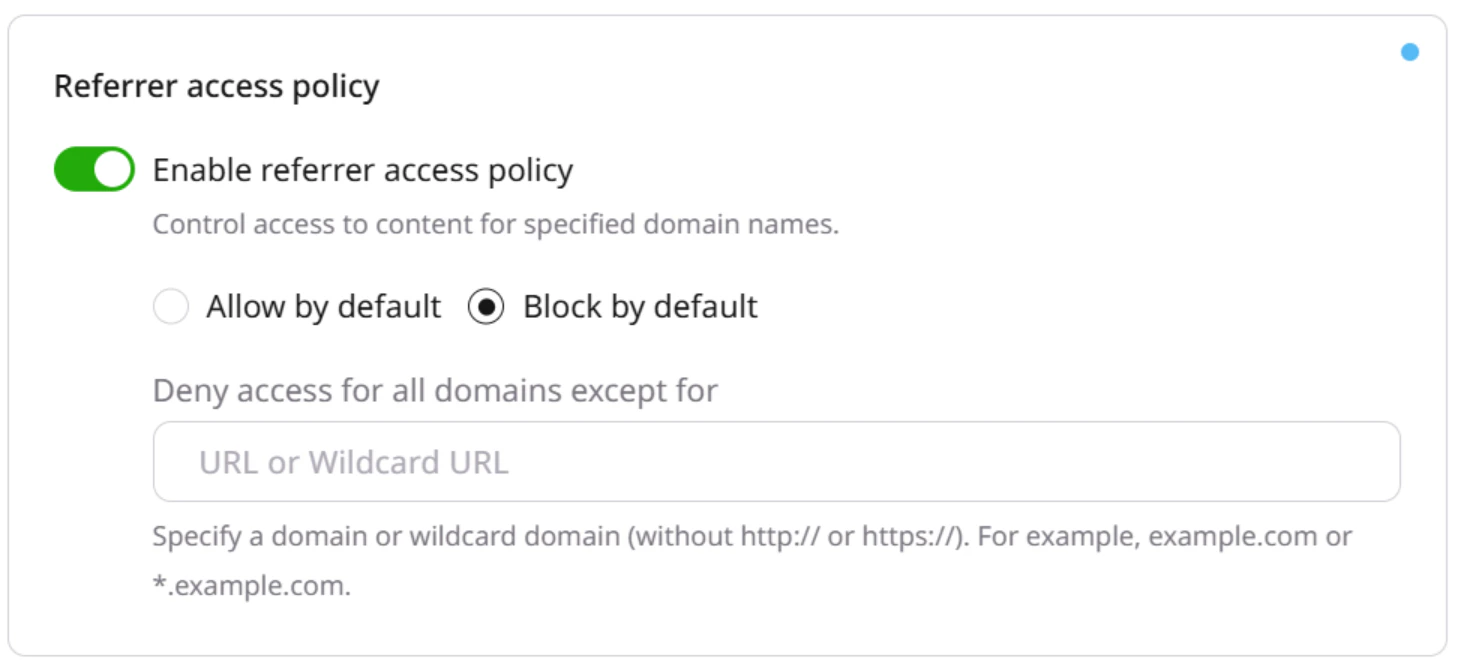 Specify the domains which you would like to allow access to.
* `www.domain.com` if you want to allow access to the specific domain
* `*.domain.com` if you want to allow access to all subdomains of domain.com
When a user requests data from other domains, they will get the denial of access.
You can specify domains only one by one via the Gcore Customer Portal. To add the list of the domains use [API](/api-reference/cdn/cdn-resources/change-cdn-resource-1).
## Country access policy
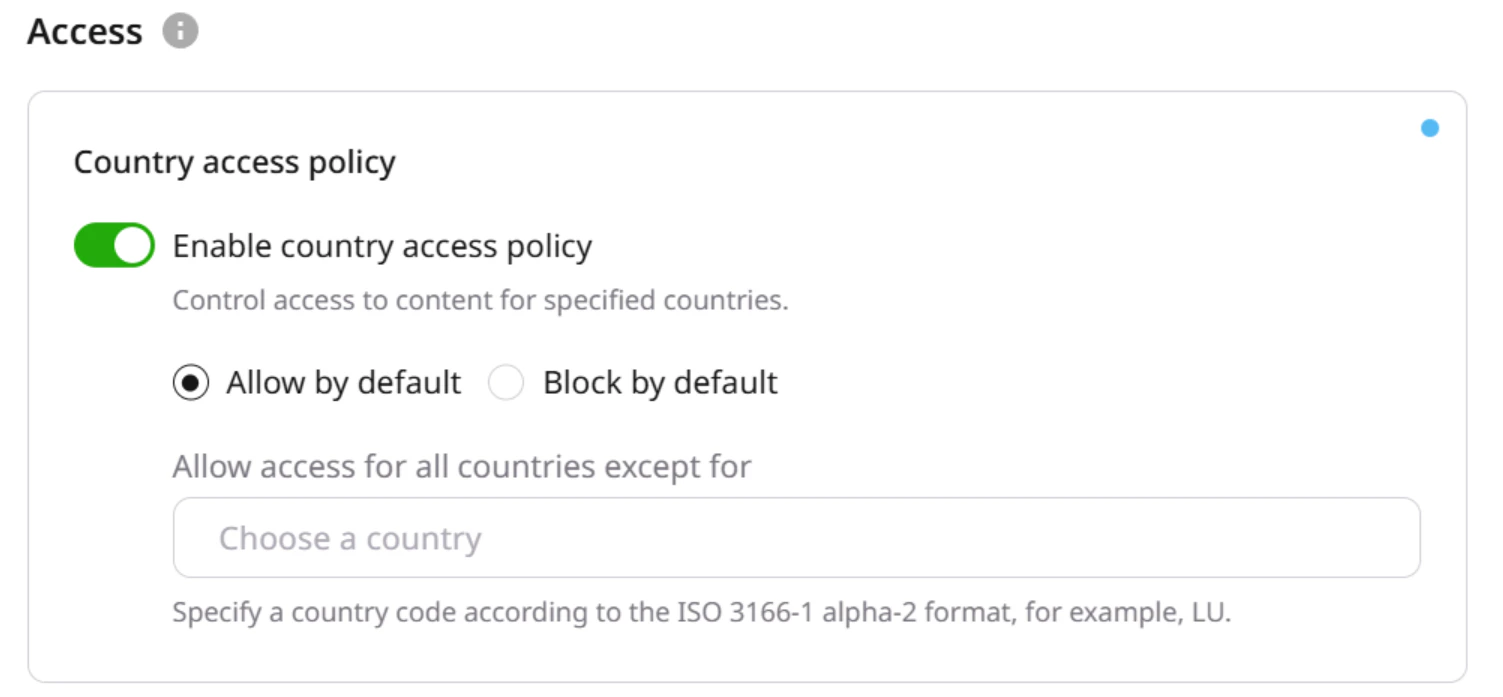
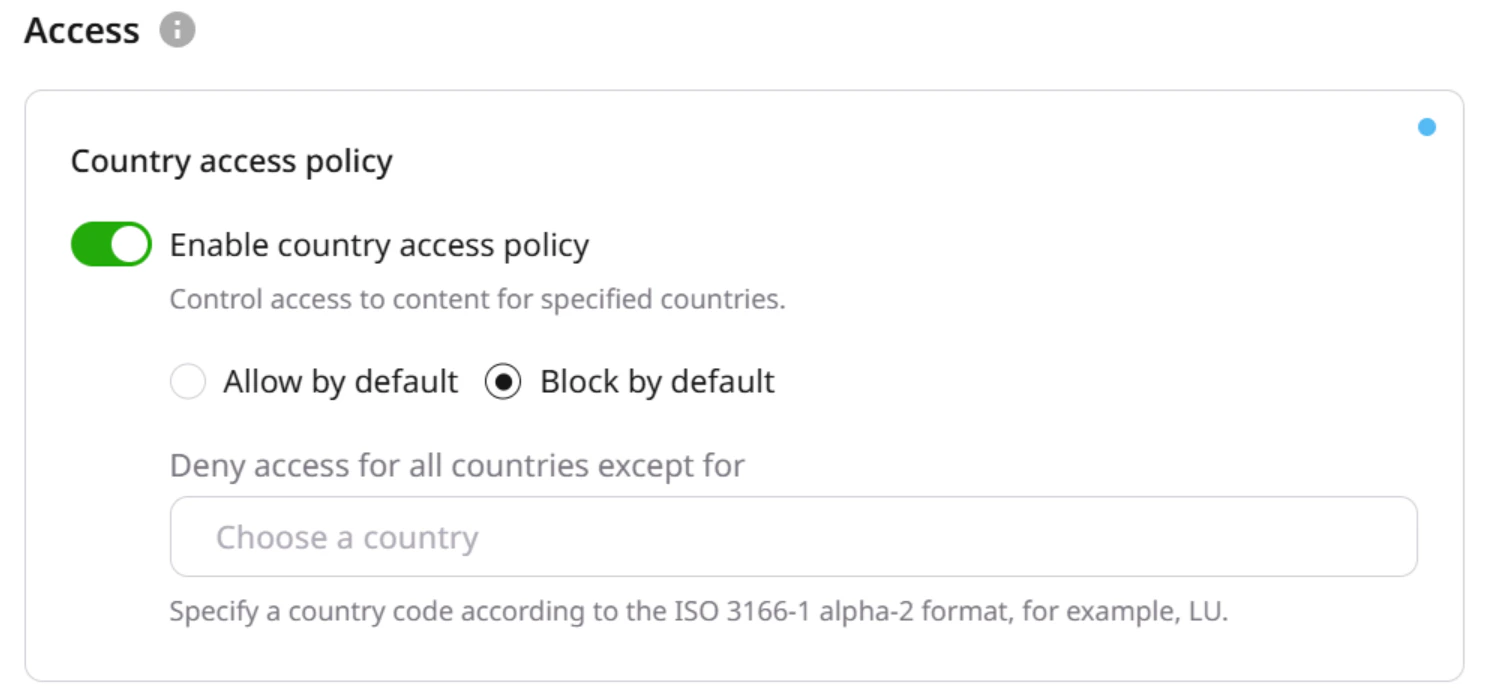
You can limit access to your content for listed countries. To enable this option, open the CDN resource, in the **Resource settings**, select **Access**, and then open **Country access policy**.
By default, there are no restrictions by country to your CDN resource. You can set up allow or block policy.
**Note**
You can specify countries only one by one via the Gcore Customer Portal. To add the list of the countries, use [API](/api-reference/cdn/cdn-resources/change-cdn-resource-1).
### Allow country access policy
Access to the resource is allowed for all the countries except for the specified in the field.
Specify the domains which you would like to allow access to.
* `www.domain.com` if you want to allow access to the specific domain
* `*.domain.com` if you want to allow access to all subdomains of domain.com
When a user requests data from other domains, they will get the denial of access.
You can specify domains only one by one via the Gcore Customer Portal. To add the list of the domains use [API](/api-reference/cdn/cdn-resources/change-cdn-resource-1).
## Country access policy
You can limit access to your content for listed countries. To enable this option, open the CDN resource, in the **Resource settings**, select **Access**, and then open **Country access policy**.
By default, there are no restrictions by country to your CDN resource. You can set up allow or block policy.
**Note**
You can specify countries only one by one via the Gcore Customer Portal. To add the list of the countries, use [API](/api-reference/cdn/cdn-resources/change-cdn-resource-1).
### Allow country access policy
Access to the resource is allowed for all the countries except for the specified in the field.
 ### Block country access policy
Access to the resource is denied for all the countries except for the specified in the field.
### Block country access policy
Access to the resource is denied for all the countries except for the specified in the field.
 ## IP access policy
You can limit access to your content to IP ranges.
In the CDN **Resource settings**, select **Access**, and open **IP access policy**.
By default, there are no restrictions by IP to your CDN resource. You can set up Allow or Block policy.
The option supports IPv4 and IPv6 addresses.
You can specify IPs only one by one via the Gcore Customer Portal. To add the list of the IPs use [API](/api-reference/cdn/cdn-resources/change-cdn-resource-1).
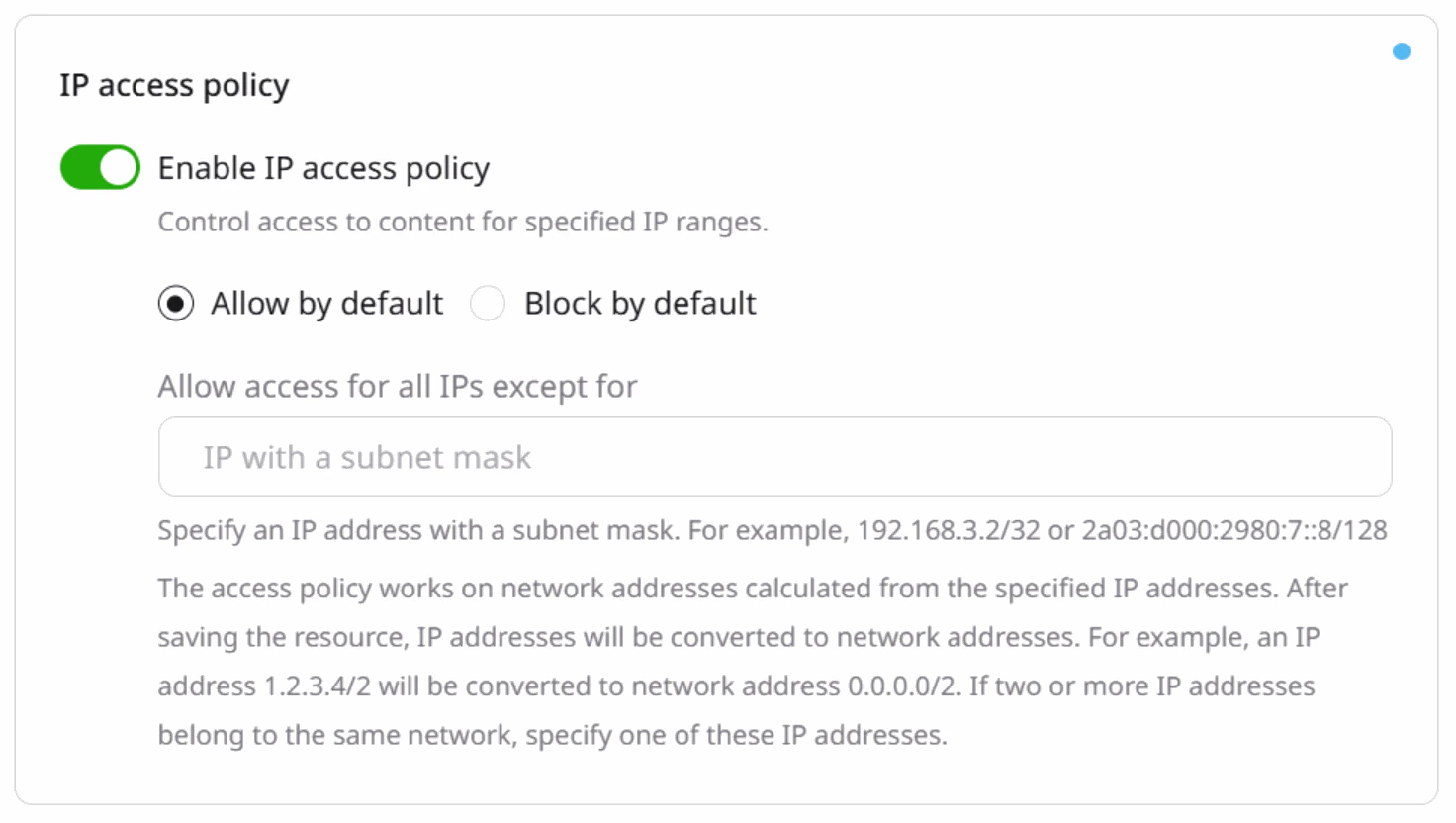
### Allow IP policy
Access to the resource is allowed for all the IPs except for the specified in the field.
## IP access policy
You can limit access to your content to IP ranges.
In the CDN **Resource settings**, select **Access**, and open **IP access policy**.
By default, there are no restrictions by IP to your CDN resource. You can set up Allow or Block policy.
The option supports IPv4 and IPv6 addresses.
You can specify IPs only one by one via the Gcore Customer Portal. To add the list of the IPs use [API](/api-reference/cdn/cdn-resources/change-cdn-resource-1).
### Allow IP policy
Access to the resource is allowed for all the IPs except for the specified in the field.
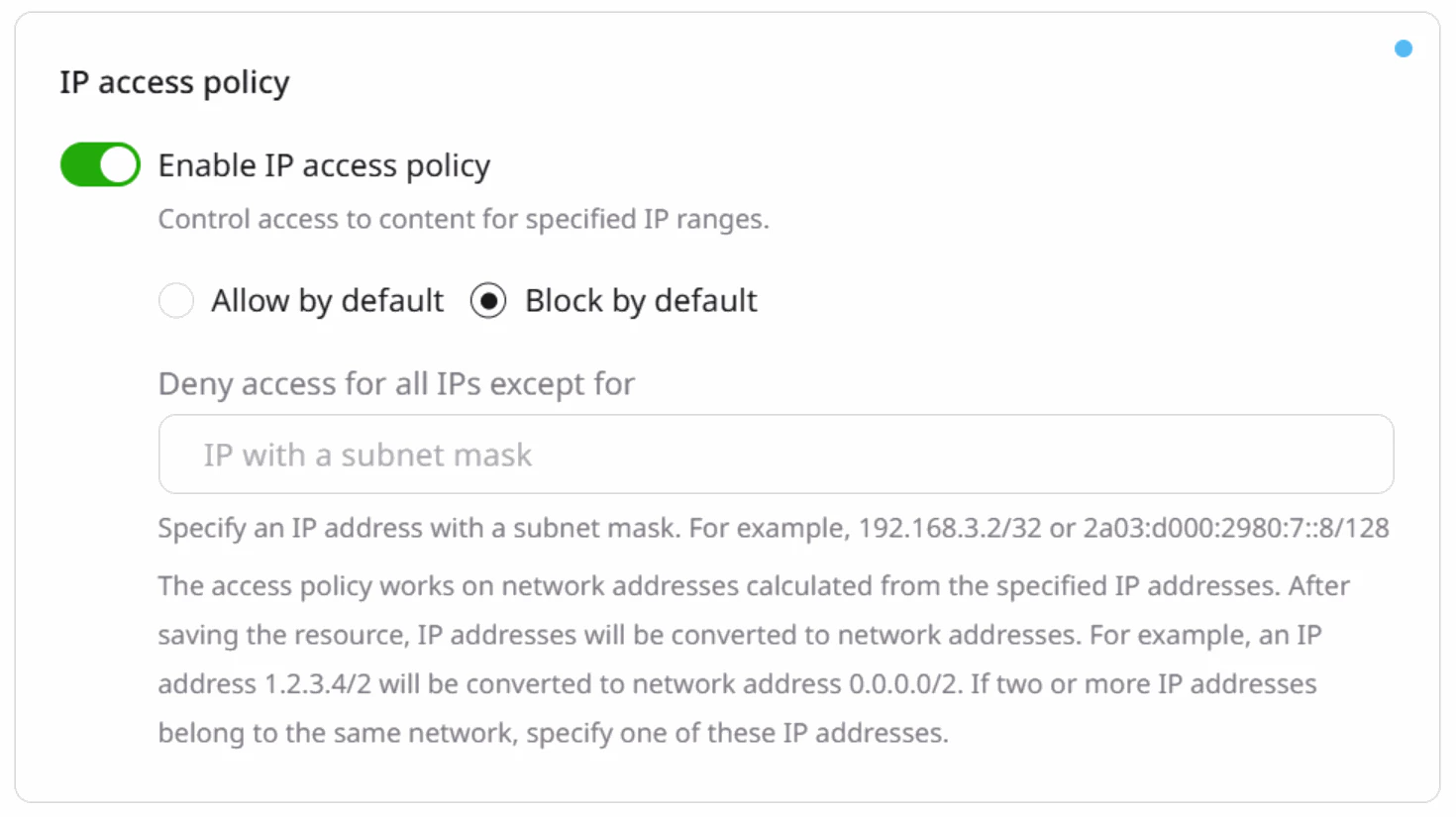
 ### Block IP policy
Access to the resource is denied for all the IPs except for the specified in the field.
### Block IP policy
Access to the resource is denied for all the IPs except for the specified in the field.
 ## User agent access policy
You can limit access to your CDN content for User agents, for example, for certain browsers, consoles or some other devices.
In the CDN **Resource settings**, select **Access**, and open **User agents policy**.
By default access to the resource is allowed for all the kinds of User Agents. You can set up the allow or block policy.
### Set via the Gcore Customer Portal
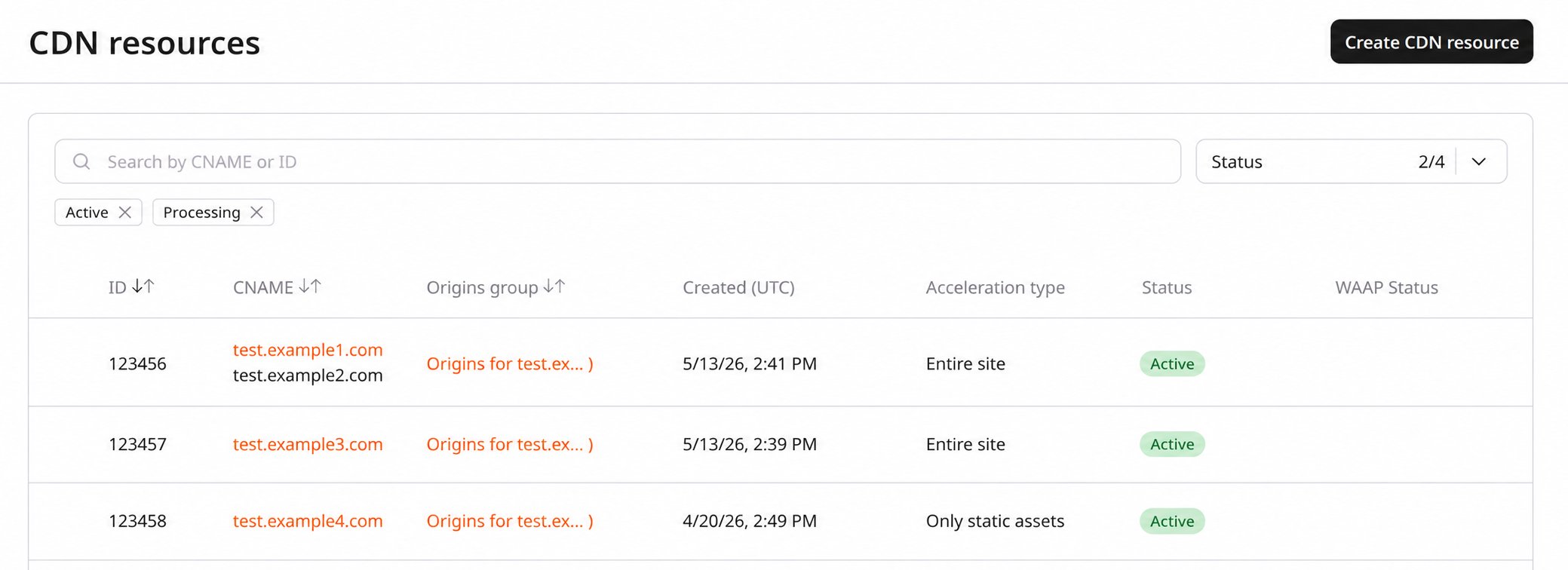
To set the user agents using the [Gcore Customer Portal](https://portal.gcore.com/cdn/resources/list):
1\. Go to CDN and select the CDN resource you want to configure.
## User agent access policy
You can limit access to your CDN content for User agents, for example, for certain browsers, consoles or some other devices.
In the CDN **Resource settings**, select **Access**, and open **User agents policy**.
By default access to the resource is allowed for all the kinds of User Agents. You can set up the allow or block policy.
### Set via the Gcore Customer Portal
To set the user agents using the [Gcore Customer Portal](https://portal.gcore.com/cdn/resources/list):
1\. Go to CDN and select the CDN resource you want to configure.
 2\. In the sidebar, under the **Access** section, select **User agents policy**.
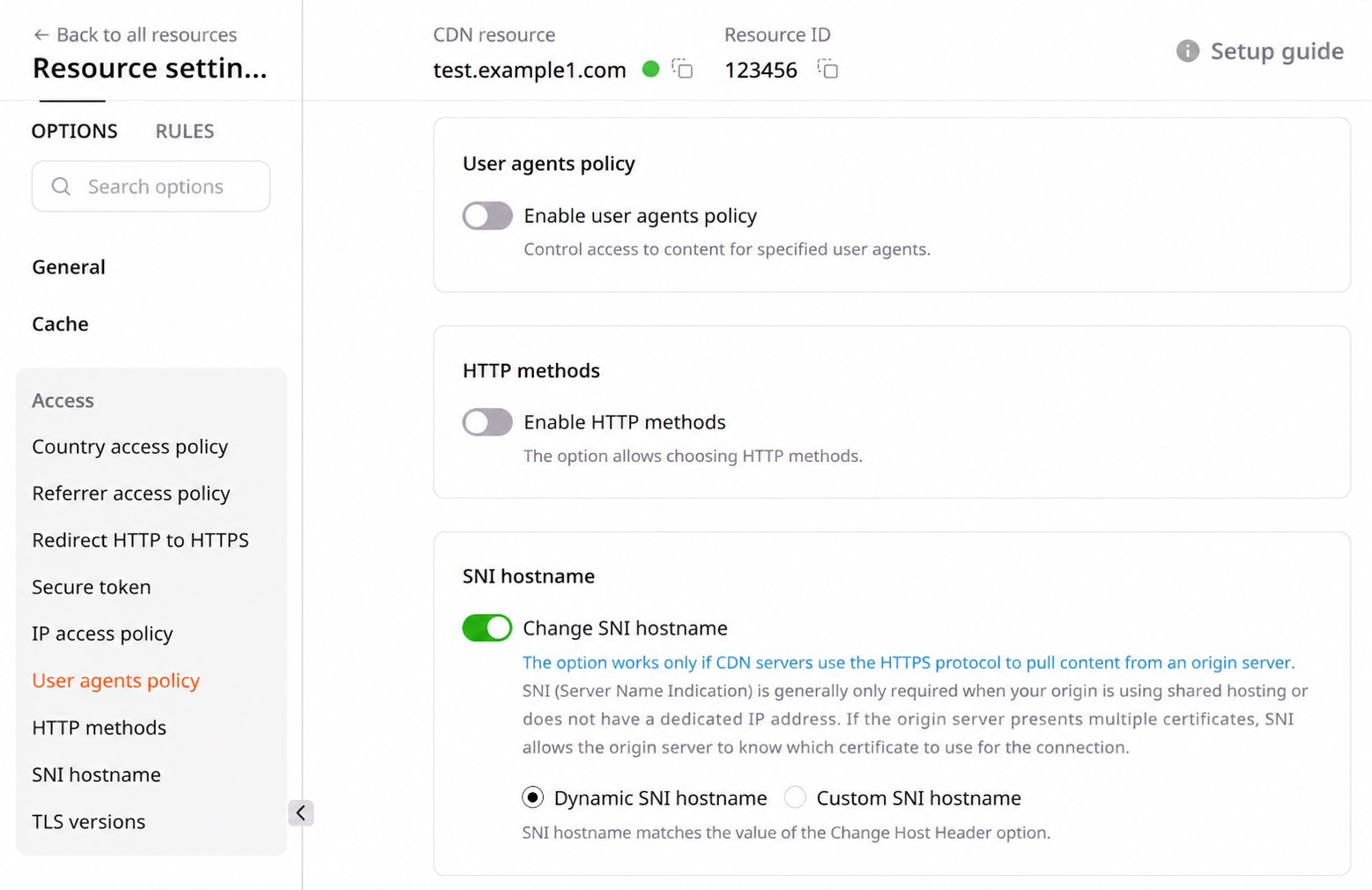 3\. Toggle **Enable user agents policy** and choose either the **Allow by default** or **Block by default** option:
* Selecting **Allow by default** allows access for all user agents except those specified.
* Choosing **Block by default** blocks access for all user agents except those specified.
3\. Toggle **Enable user agents policy** and choose either the **Allow by default** or **Block by default** option:
* Selecting **Allow by default** allows access for all user agents except those specified.
* Choosing **Block by default** blocks access for all user agents except those specified.
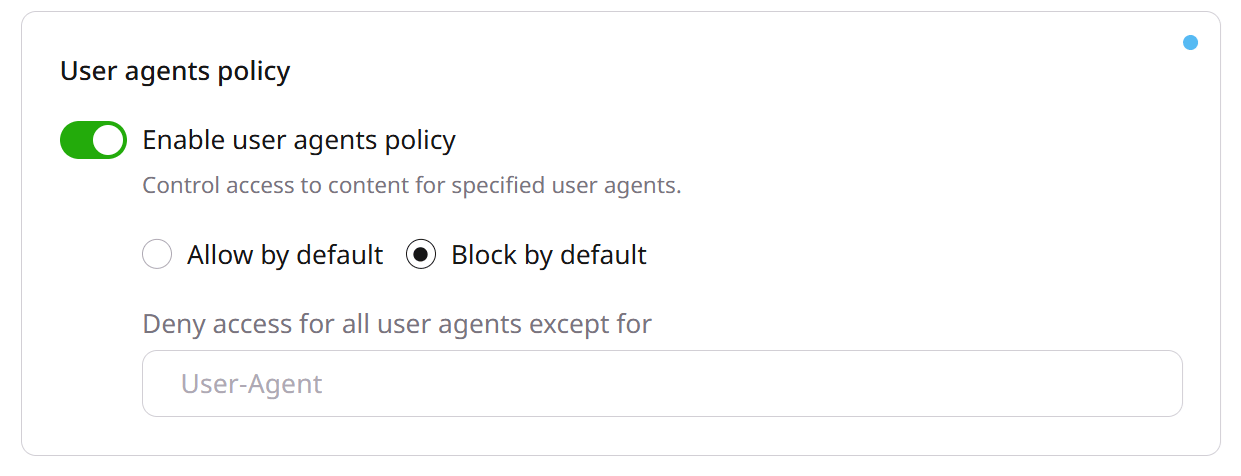 4\. Set one or more user agents in the **User-Agent** select box. Accepted values are:
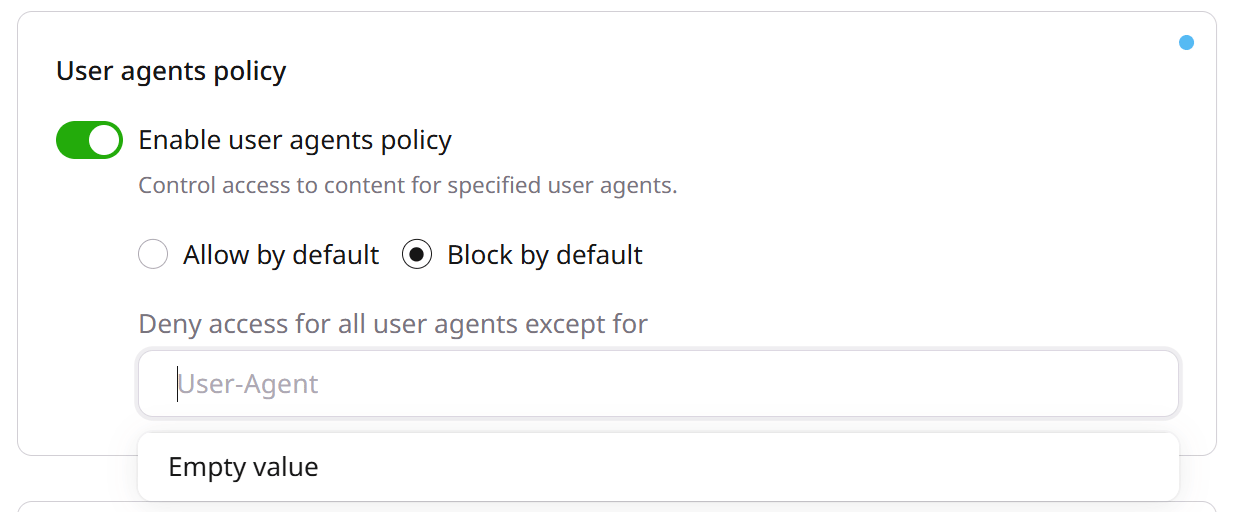
* **Empty value.** This appears as an option in the select box. Select this value to allow or block incoming requests that do not have a User-Agent header.
4\. Set one or more user agents in the **User-Agent** select box. Accepted values are:
* **Empty value.** This appears as an option in the select box. Select this value to allow or block incoming requests that do not have a User-Agent header.
 * **User agent string.** Enter one or more unique user agents. The maximum length of each string is 255 characters. If you need to increase this limit, you can contact our [Gcore Support](mailto:support@gcore.com). You can provide exact User-Agent strings or regular expressions. Regular expressions must start with `~` for case-sensitive matching or `~*` for case-insensitive matching.
**Note**
**User-Agent** text box cannot be left blank.
5\. Click **Save changes**. Allow at least 15 minutes for the changes to take effect.
* **User agent string.** Enter one or more unique user agents. The maximum length of each string is 255 characters. If you need to increase this limit, you can contact our [Gcore Support](mailto:support@gcore.com). You can provide exact User-Agent strings or regular expressions. Regular expressions must start with `~` for case-sensitive matching or `~*` for case-insensitive matching.
**Note**
**User-Agent** text box cannot be left blank.
5\. Click **Save changes**. Allow at least 15 minutes for the changes to take effect.
 ### Set via the API
To set the user agents using the API, the request must include the `user_agent_acl` object. The following is a sample code for the object:
```json theme={null}
"options": {
"user_agent_acl": {
"enabled": true,
"policy_type": "allow",
"excepted_values": [
"",
"Mozilla/5.0 (Windows NT 10.0; Win64; x64) AppleWebKit/537.36 (KHTML, like Gecko) Chrome/104.0.0.0 Safari/537.36"
]
}
}
```
#### Request properties
The `user_agent_acl` object passes the following information:
| **Property** | **Description** |
| ------------------ | --------------------------------------------------------------------------------------------------------------------------------------------------------------------------------------------------------------------------------------------------------------------------------------------------------------------------------------------------------------------------------------------------------------------------------------------------------------------------------------------------------------------------------------------------------------------------------------------------------------------------------------------------------------- |
| *enabled* | This property indicates whether to enable the User Agents Policy.
### Set via the API
To set the user agents using the API, the request must include the `user_agent_acl` object. The following is a sample code for the object:
```json theme={null}
"options": {
"user_agent_acl": {
"enabled": true,
"policy_type": "allow",
"excepted_values": [
"",
"Mozilla/5.0 (Windows NT 10.0; Win64; x64) AppleWebKit/537.36 (KHTML, like Gecko) Chrome/104.0.0.0 Safari/537.36"
]
}
}
```
#### Request properties
The `user_agent_acl` object passes the following information:
| **Property** | **Description** |
| ------------------ | --------------------------------------------------------------------------------------------------------------------------------------------------------------------------------------------------------------------------------------------------------------------------------------------------------------------------------------------------------------------------------------------------------------------------------------------------------------------------------------------------------------------------------------------------------------------------------------------------------------------------------------------------------------- |
| *enabled* | This property indicates whether to enable the User Agents Policy.
Possible values:
- true enables the option
- false disables the option |
| *policy\_type* | This property indicates the action to apply to the matching request.
Possible values:
- allow allows the request
- deny blocks the request |
| *excepted\_values* | This property is an array of user agents to allow or block. The array must contain at least 1 item.
Possible values:
- two double quotation marks without a space in-between ("") represents the *empty value*, used to match requests that do not send a User-Agent header
- a string that represents the exact user agent, with a maximum length of 255 characters; if you need to increase this limit, you can contact our [Gcore Support](mailto:support@gcore.com)
- a regular expression prefixed with `~` for case-sensitive matching (for example, `~Mozilla.*`) or `~*` for case-insensitive matching (for example, `~*mozilla.*`) |
#### Example
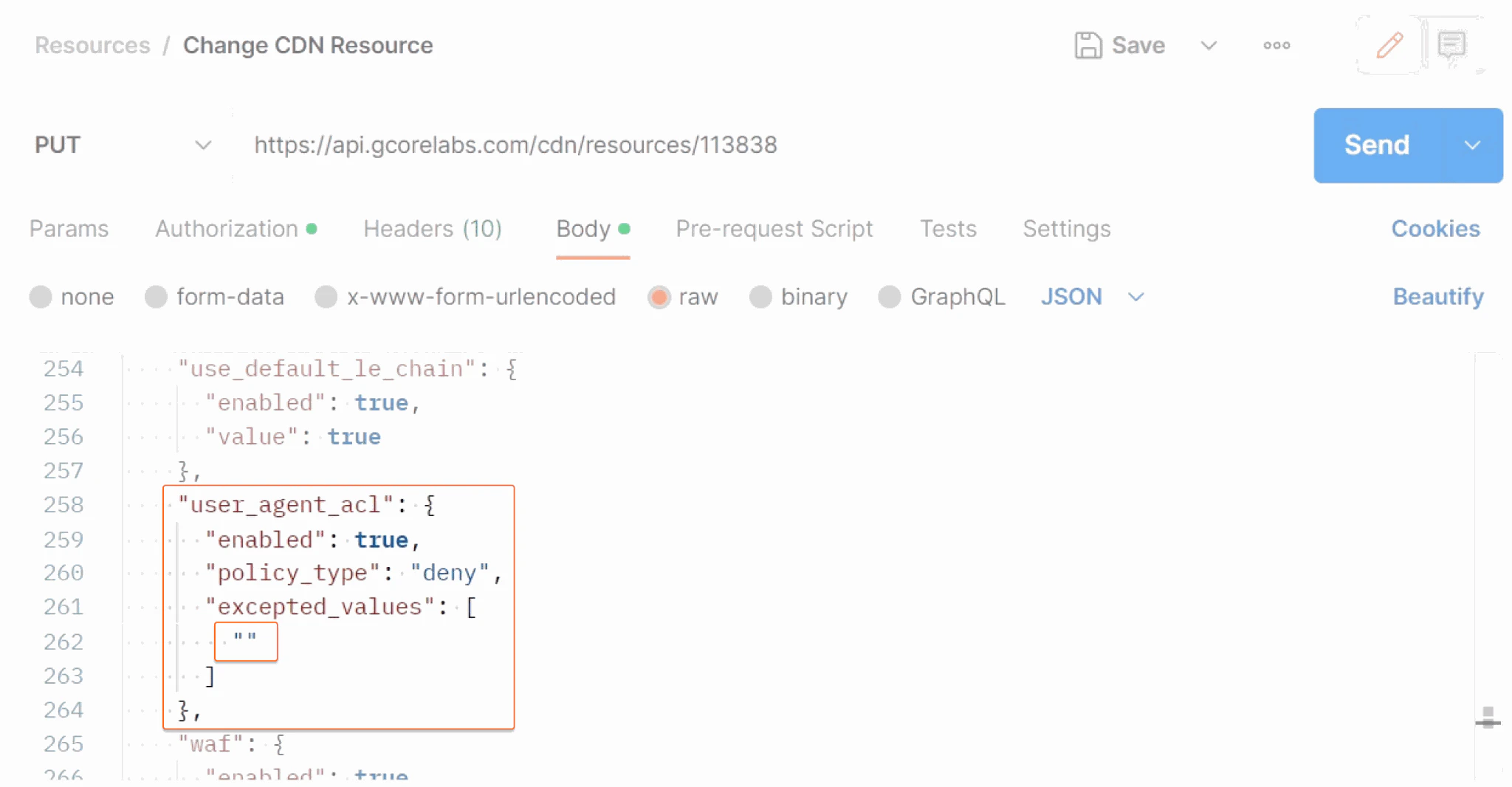
This example shows a [CDN update](/api-reference/cdn) request that activates the User Agents Policy and blocks the requests without a User agent header.