> ## Documentation Index
> Fetch the complete documentation index at: https://docs.gcore.com/llms.txt
> Use this file to discover all available pages before exploring further.
# Diagnose CDN routing and connectivity
> Identify the CDN edge handling requests, compare results across networks, and measure connectivity with Speedtest.
Open CDN Debug on the hostname that delivers the content, from the network where the symptom appears. The page shows the Gcore edge server that handled the request and the client network for that request.
## Edge server for the request
The HTML page and JSON endpoint provide the same types of diagnostic information. Use the hostname configured for the CDN resource — the domain through which the content is delivered.
```text theme={null}
https://cdn.example.com/.well-known/cdn-debug
https://cdn.example.com/.well-known/cdn-debug/json
```
Replace `cdn.example.com` with the CDN hostname. The debug endpoint returns information about the corresponding CDN resource only when opened on that hostname.
Read these objects in the JSON response:
| Object | What it shows |
| - | - |
| `request_info` | Domain, client IP, protocol, method, and path |
| `client_headers` | Client ASN and location |
| `server_headers` | Edge server name, address, and location |
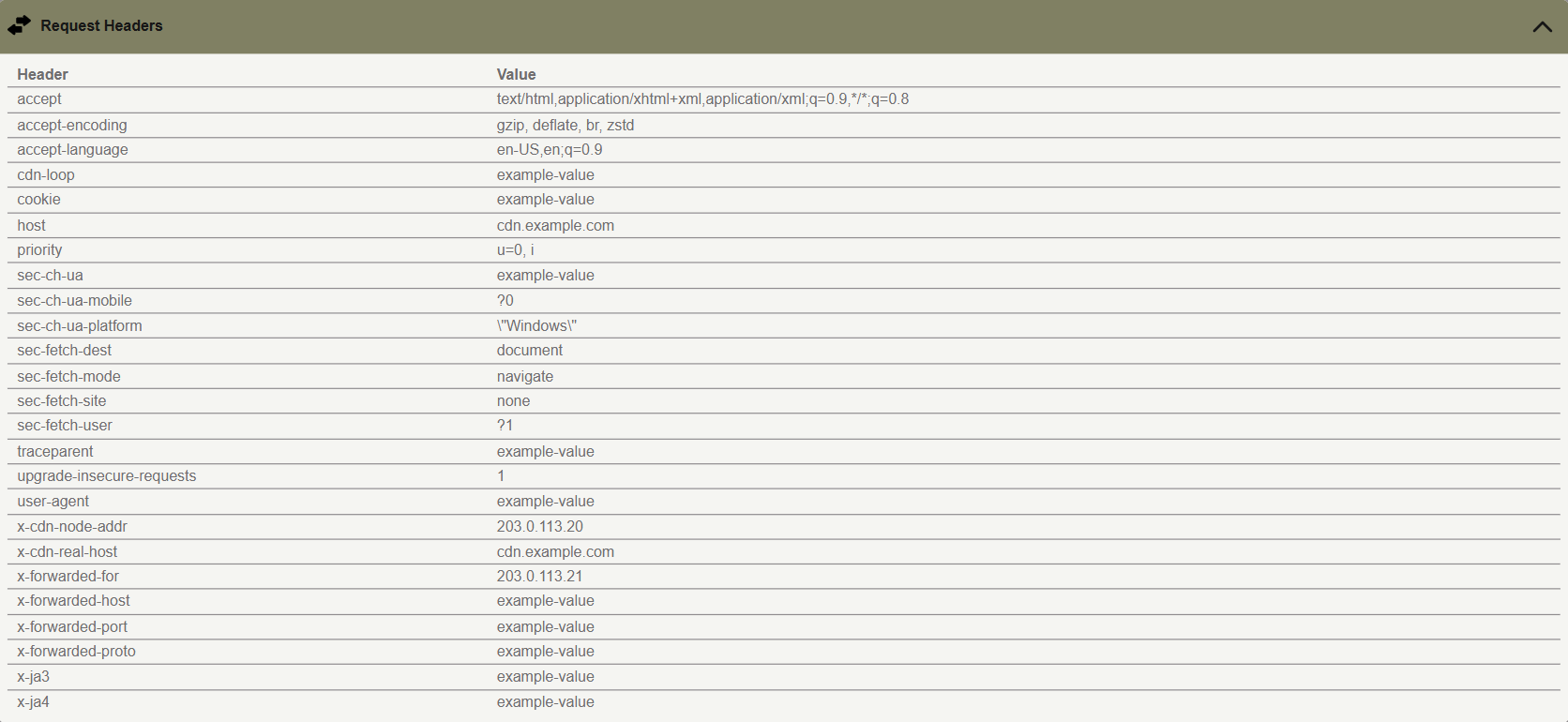
| `other_headers` | Request headers captured with this request |
The HTML page also shows the request, client, and server details.


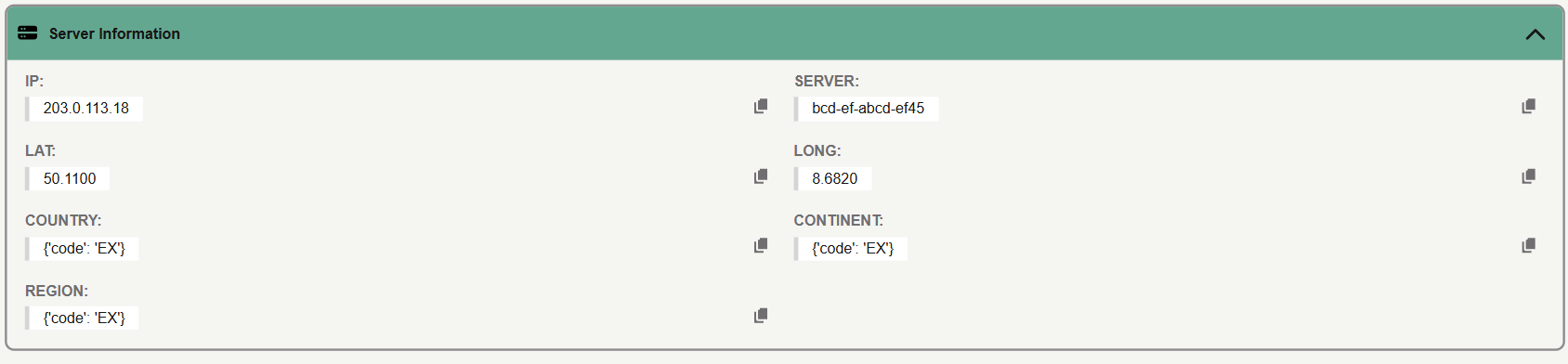 `server_headers.server` identifies the responding edge server. The `server_headers` object also contains its address and location.
`other_headers` contains the headers captured with the request.
`server_headers.server` identifies the responding edge server. The `server_headers` object also contains its address and location.
`other_headers` contains the headers captured with the request.
 ## Results from two networks
When users experience delays on one network but not another, check CDN Debug from both networks.
1. Open the JSON URL from each network.
2. Compare the client ASN, the edge server name, and the location.
3. Run **Speedtest** from each network.
4. Compare **Ping** and **Download**.
5. If the edge server is the expected one and the file is still slow, check cache status and time to first byte in the [video delivery](/cdn/video-cdn/improve-video-delivery-speed) guide.
Different edge servers indicate that the requests were handled by different CDN nodes, but do not necessarily indicate a routing issue. A higher **Ping** indicates greater latency to the diagnostic endpoint during that test.
The following example uses illustrative values, not actual Gcore measurements.
| | Network A | Network B |
| - | - | - |
| Client location | Warsaw | Warsaw |
| Edge location | Warsaw | Frankfurt |
| Ping | 8 ms | 38 ms |
| Download | 420 Mbps | 110 Mbps |
Network B has higher latency and lower download throughput in this test. These differences warrant further investigation but do not necessarily indicate a routing fault.
## Result interpretation
Use the following table to interpret common results and decide what to check next.
| Observation | Reading | Next check |
| - | - | - |
| Different networks reach different edges | The requests were handled by different CDN nodes | Compare **Ping** and **Download** from both networks |
| One network shows a higher **Ping** | The measured latency to the serving edge was higher | Repeat the test and compare the runs |
| The edge city is far from the client | Geographic distance alone does not determine latency | Use **Ping**, not the city alone |
| **Ping** is low and the file is still slow | The debug host responded quickly. File delivery can still depend on cache or origin | Check cache status and time to first byte |
| Repeated checks disagree | Results can vary between requests due to changes in the serving edge, network conditions, or local test conditions | Compare several runs |
## Speedtest measurements
On the HTML page, open **Speedtest** and click **Start test**. **Ping**, **Jitter**, **Download**, and **Upload** come from `/ping`, `/download`, and `/upload` on the same CDN host.
## Results from two networks
When users experience delays on one network but not another, check CDN Debug from both networks.
1. Open the JSON URL from each network.
2. Compare the client ASN, the edge server name, and the location.
3. Run **Speedtest** from each network.
4. Compare **Ping** and **Download**.
5. If the edge server is the expected one and the file is still slow, check cache status and time to first byte in the [video delivery](/cdn/video-cdn/improve-video-delivery-speed) guide.
Different edge servers indicate that the requests were handled by different CDN nodes, but do not necessarily indicate a routing issue. A higher **Ping** indicates greater latency to the diagnostic endpoint during that test.
The following example uses illustrative values, not actual Gcore measurements.
| | Network A | Network B |
| - | - | - |
| Client location | Warsaw | Warsaw |
| Edge location | Warsaw | Frankfurt |
| Ping | 8 ms | 38 ms |
| Download | 420 Mbps | 110 Mbps |
Network B has higher latency and lower download throughput in this test. These differences warrant further investigation but do not necessarily indicate a routing fault.
## Result interpretation
Use the following table to interpret common results and decide what to check next.
| Observation | Reading | Next check |
| - | - | - |
| Different networks reach different edges | The requests were handled by different CDN nodes | Compare **Ping** and **Download** from both networks |
| One network shows a higher **Ping** | The measured latency to the serving edge was higher | Repeat the test and compare the runs |
| The edge city is far from the client | Geographic distance alone does not determine latency | Use **Ping**, not the city alone |
| **Ping** is low and the file is still slow | The debug host responded quickly. File delivery can still depend on cache or origin | Check cache status and time to first byte |
| Repeated checks disagree | Results can vary between requests due to changes in the serving edge, network conditions, or local test conditions | Compare several runs |
## Speedtest measurements
On the HTML page, open **Speedtest** and click **Start test**. **Ping**, **Jitter**, **Download**, and **Upload** come from `/ping`, `/download`, and `/upload` on the same CDN host.
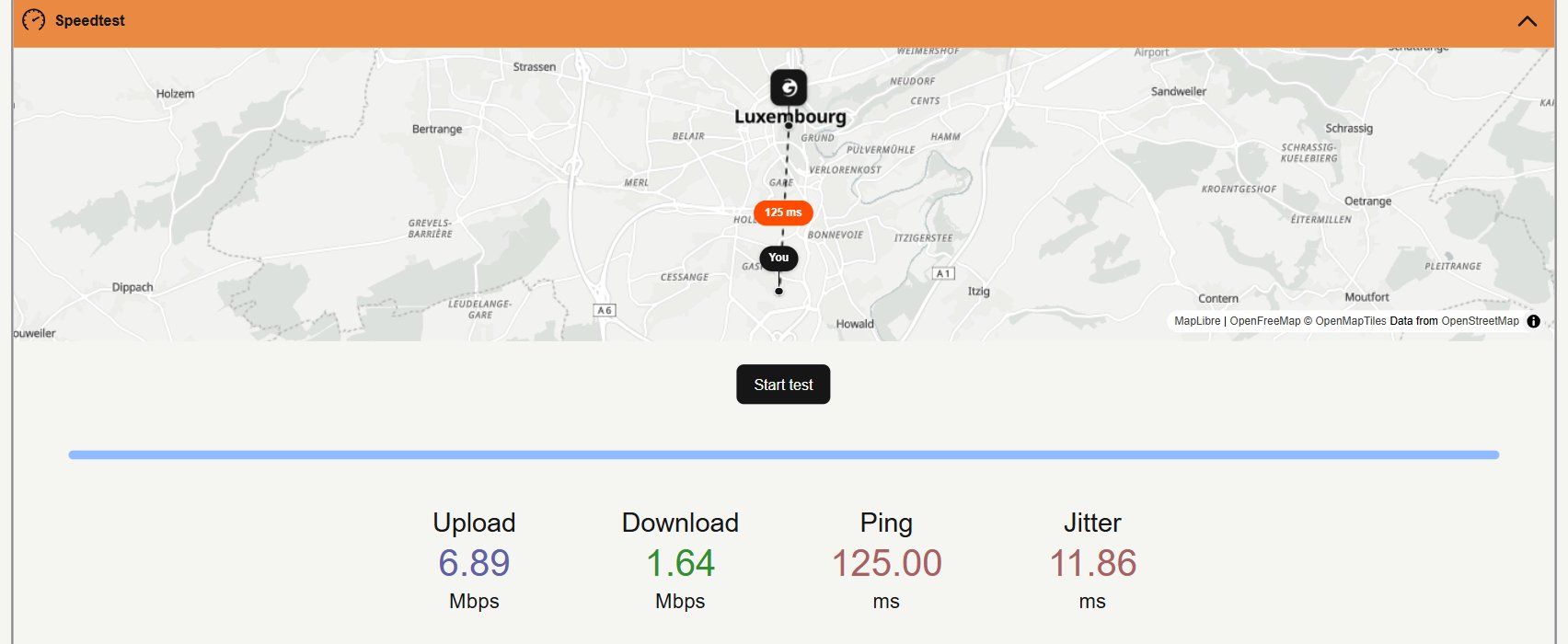 **Speedtest** measures connectivity to the diagnostic endpoint. Its **Ping**, **Jitter**, **Download**, and **Upload** results do not necessarily reflect the performance of individual files delivered through the CDN.
Attach the JSON body to a [Gcore Support](mailto:support@gcore.com) request when the comparison above is not enough. The body includes client and server addresses.
**Speedtest** measures connectivity to the diagnostic endpoint. Its **Ping**, **Jitter**, **Download**, and **Upload** results do not necessarily reflect the performance of individual files delivered through the CDN.
Attach the JSON body to a [Gcore Support](mailto:support@gcore.com) request when the comparison above is not enough. The body includes client and server addresses.