> ## Documentation Index
> Fetch the complete documentation index at: https://docs.gcore.com/llms.txt
> Use this file to discover all available pages before exploring further.
# Apply a custom profile to a protected network
## Overview
After creating a custom protection profile, apply it to a protected network.
## Instructions
### Step 1. Open protected networks
1. In the [Gcore Customer Portal](https://portal.gcore.com/accounts/reports/dashboard), navigate to **DDoS Protection** > **Protected networks**.
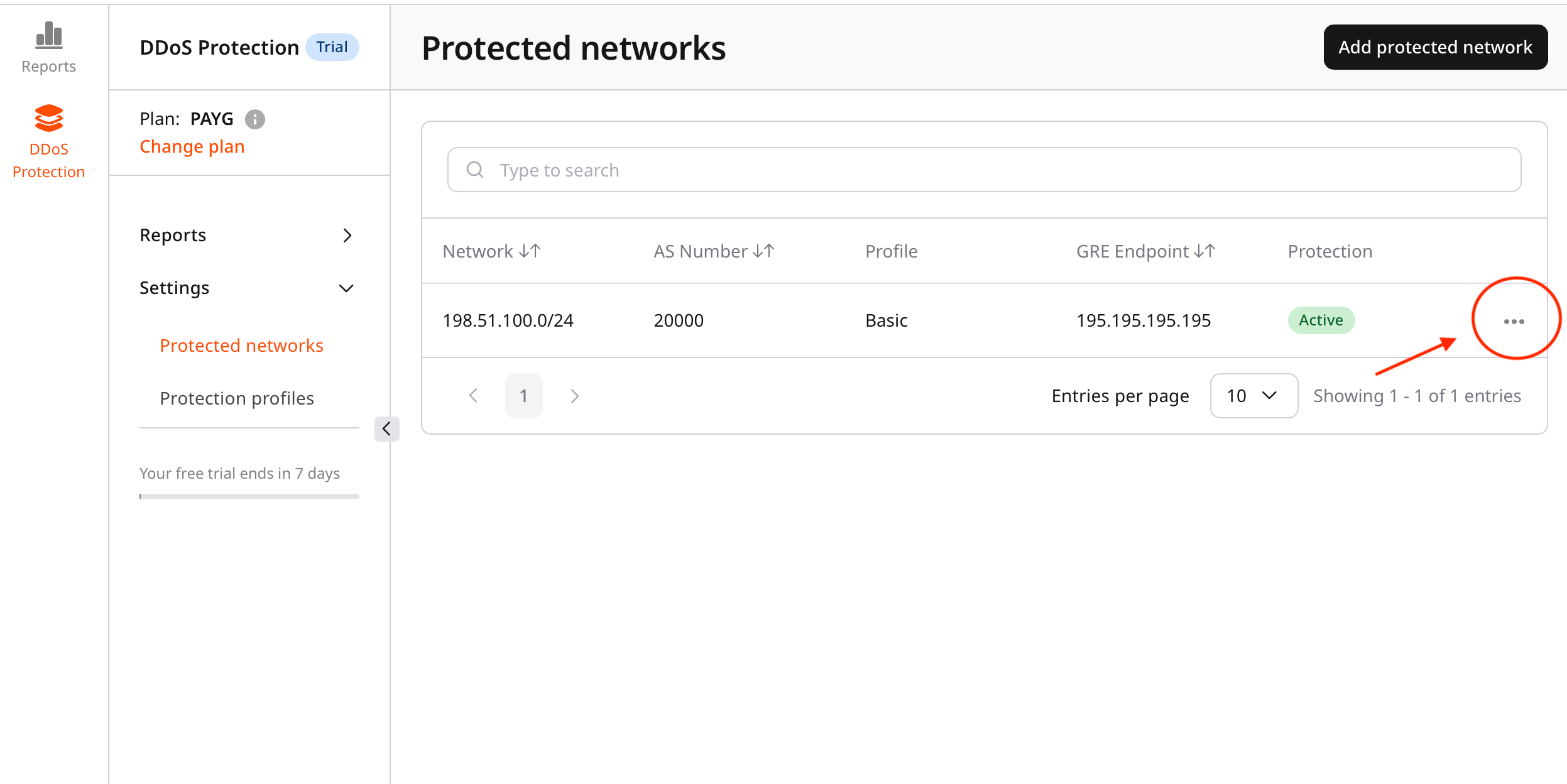
2. Locate the protected network to update.
### Step 2. Edit the protected network
1. Next to the target network, click **…**.
2. Select **Edit**.
 ### Step 3. Assign a protection profile
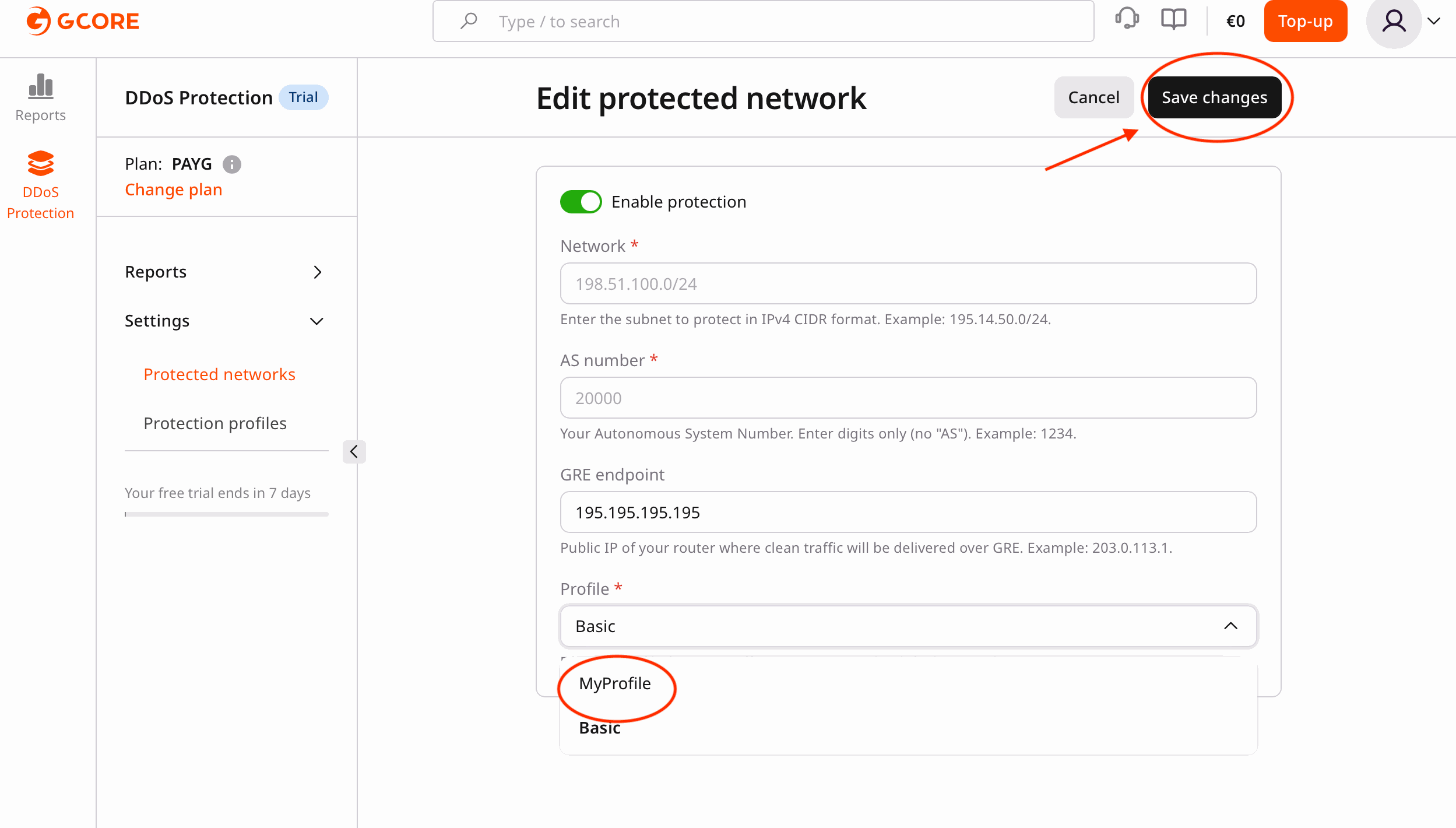
1. In the **Edit protected network** view, open the **Profile** list.
2. Select the required protection profile.
The list includes:
* Basic profile (default)
* Custom profiles
### Step 4. Save changes
1. Review the selected profile.
2. Click **Save changes**.
The selected profile becomes active immediately.
### Step 3. Assign a protection profile
1. In the **Edit protected network** view, open the **Profile** list.
2. Select the required protection profile.
The list includes:
* Basic profile (default)
* Custom profiles
### Step 4. Save changes
1. Review the selected profile.
2. Click **Save changes**.
The selected profile becomes active immediately.
 ## Verification
* Confirm that the network status reflects the updated profile.
* Monitor traffic to verify that the profile works as expected.
* Adjust the profile settings if required.
## Verification
* Confirm that the network status reflects the updated profile.
* Monitor traffic to verify that the profile works as expected.
* Adjust the profile settings if required.