> ## Documentation Index
> Fetch the complete documentation index at: https://docs.gcore.com/llms.txt
> Use this file to discover all available pages before exploring further.
# View DNS statistics in Grafana
> Grafana panels for DNS request statistics.
DNS request counts can be shown as Grafana time-series panels. The [Grafana plugin](/developer-tools/grafana/install-the-grafana-plugin) adds the **Gcore Platform-EN** data source.
## Configure a dashboard
The panel uses the connected **Gcore Platform-EN** data source.
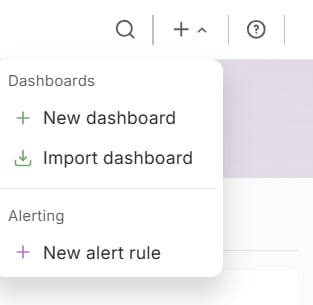
1. In the top bar, click **+**, then **New dashboard**.
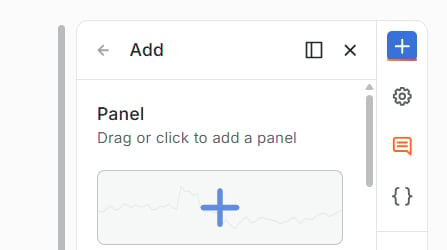
 2. The **Add** drawer opens on the right. Click **Panel**.
 3. Click **Edit visualization**.
4. Under **Data source**, select **Gcore Platform-EN**.
5. Under **Edge Network**, set **Service** to **DNS**.
6. Under **Query Props**, set **Zone**, **Granularity**, and **Record type**. **Legend** is optional.
7. Click **Save**. In **Save dashboard**, enter a title and click **Save**.
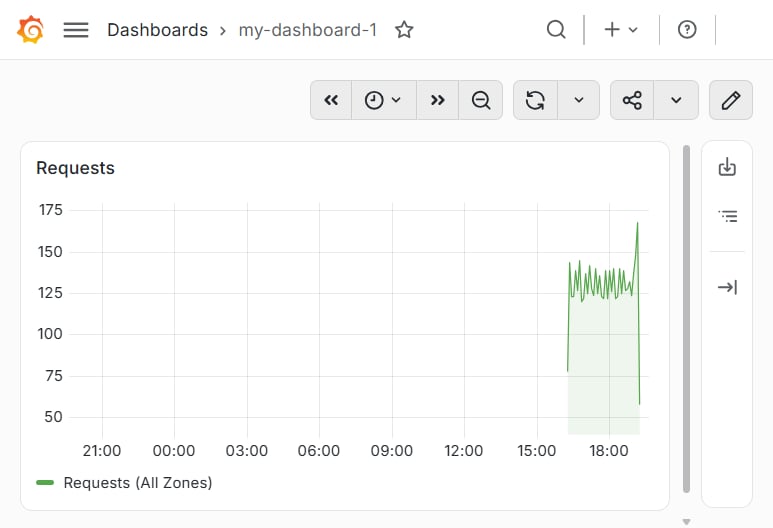
The saved dashboard shows the title and the panel.
3. Click **Edit visualization**.
4. Under **Data source**, select **Gcore Platform-EN**.
5. Under **Edge Network**, set **Service** to **DNS**.
6. Under **Query Props**, set **Zone**, **Granularity**, and **Record type**. **Legend** is optional.
7. Click **Save**. In **Save dashboard**, enter a title and click **Save**.
The saved dashboard shows the title and the panel.
 ## Query fields
A DNS query returns one series of request counts. An [alert rule](/developer-tools/grafana/create-an-alert-rule) on that series changes state when the request count crosses a threshold.
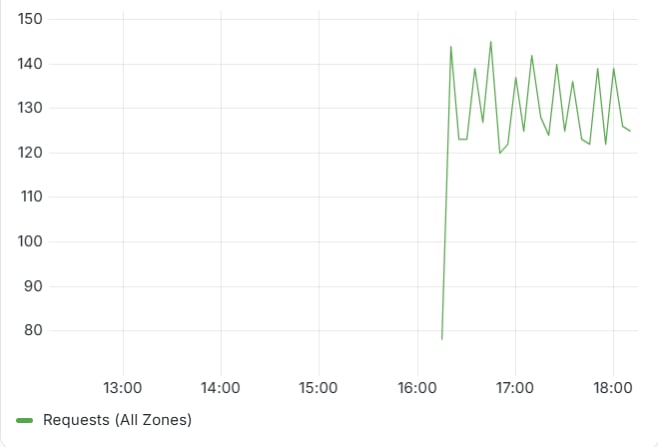
**Zone:** **All Zones**, or one zone. **All Zones** returns one series of request counts with the legend `Requests (All Zones)`, and one zone uses that zone name in the legend.
**Record type:** `ALL`, `A`, `AAAA`, `NS`, `CNAME`, `MX`, `TXT`, `SVCB`, or `HTTPS`. `ALL` includes requests for all record types, and any other value limits the series to that type and appends the type to the legend.
**Granularity:** `5m`, `10m`, `15m`, `30m`, `1h`, `1.5h`, `2h45m`, or `24h`. The default value is `5m`, and each point is the number of requests in that interval.
**Legend:** optional. An empty field keeps the generated series name.
**All Zones**, granularity **5m**, and record type **ALL**:
## Query fields
A DNS query returns one series of request counts. An [alert rule](/developer-tools/grafana/create-an-alert-rule) on that series changes state when the request count crosses a threshold.
**Zone:** **All Zones**, or one zone. **All Zones** returns one series of request counts with the legend `Requests (All Zones)`, and one zone uses that zone name in the legend.
**Record type:** `ALL`, `A`, `AAAA`, `NS`, `CNAME`, `MX`, `TXT`, `SVCB`, or `HTTPS`. `ALL` includes requests for all record types, and any other value limits the series to that type and appends the type to the legend.
**Granularity:** `5m`, `10m`, `15m`, `30m`, `1h`, `1.5h`, `2h45m`, or `24h`. The default value is `5m`, and each point is the number of requests in that interval.
**Legend:** optional. An empty field keeps the generated series name.
**All Zones**, granularity **5m**, and record type **ALL**: