> ## Documentation Index
> Fetch the complete documentation index at: https://docs.gcore.com/llms.txt
> Use this file to discover all available pages before exploring further.
# Quotas Request History
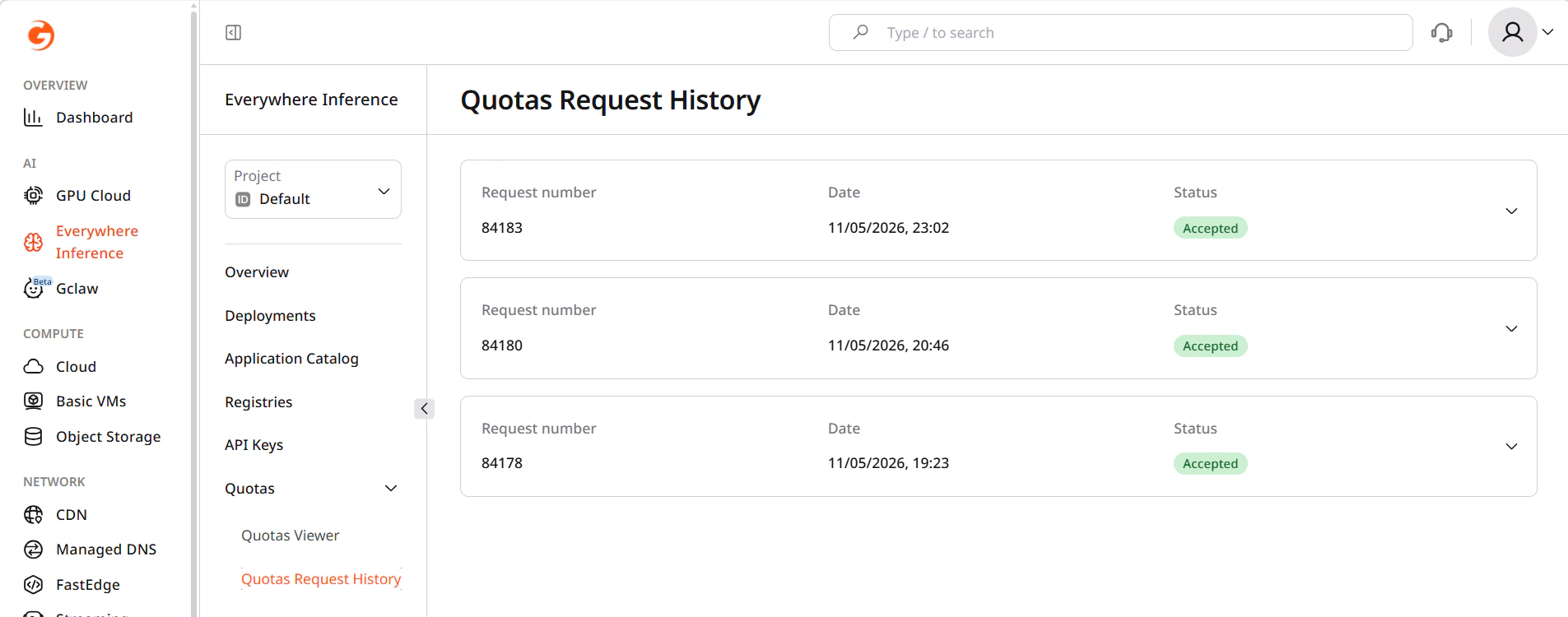
The **Quotas Request History** page shows all quota increase requests submitted for the project. Pending requests and past changes are visible here.
## Quotas Request History page
In the [Gcore Customer Portal](https://portal.gcore.com/), navigate to **Everywhere Inference** > **Quotas** > **Quotas Request History**.
Each row in the request list shows:
* **Date** — when the request was submitted.
* **Resources** — the quota resources included in the request (Inference GPU L40S Count, Inference Instances Count, and others).
* **Requested amount** — the quota value requested for each resource.
* **Status** — the current state of the request.
 ## Request statuses
| Status | Description |
| -------- | ---------------------------------------------------------------- |
| Pending | The request has been submitted and is awaiting review. |
| Approved | The quota increase has been applied to the project. |
| Rejected | The request was not approved. Contact Gcore support for details. |
New quota increase requests are submitted from [**Quotas Viewer**](/edge-ai/everywhere-inference/quotas/request-quota-increase).
## Request statuses
| Status | Description |
| -------- | ---------------------------------------------------------------- |
| Pending | The request has been submitted and is awaiting review. |
| Approved | The quota increase has been applied to the project. |
| Rejected | The request was not approved. Contact Gcore support for details. |
New quota increase requests are submitted from [**Quotas Viewer**](/edge-ai/everywhere-inference/quotas/request-quota-increase).