> ## Documentation Index
> Fetch the complete documentation index at: https://docs.gcore.com/llms.txt
> Use this file to discover all available pages before exploring further.
# Edit an origin group
> Change the origins a CDN resource uses, or delete the group.
An origin group is the set of sources a CDN resource pulls content from.
Search by name or ID, or by source, bucket name, or FastEdge app ID.
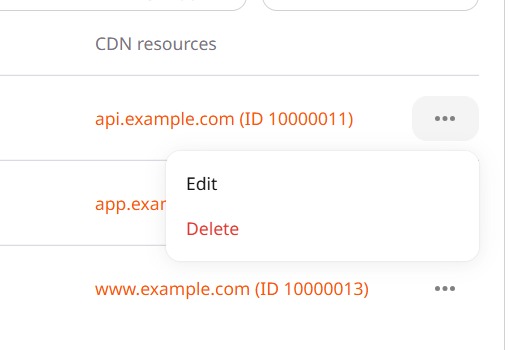
Click the group name, or click the three dots at the end of the row and then **Edit**.
* Change **Origin group name**.
* For a **URL** source, set **Origin source** to the host or IP address, without `http://` or `https://`.
* Clear **Use default port** to enter a port.
* Switching that source to **S3 storage** or **FastEdge** opens a warning that the current configuration is reset. Click **Change** to continue.
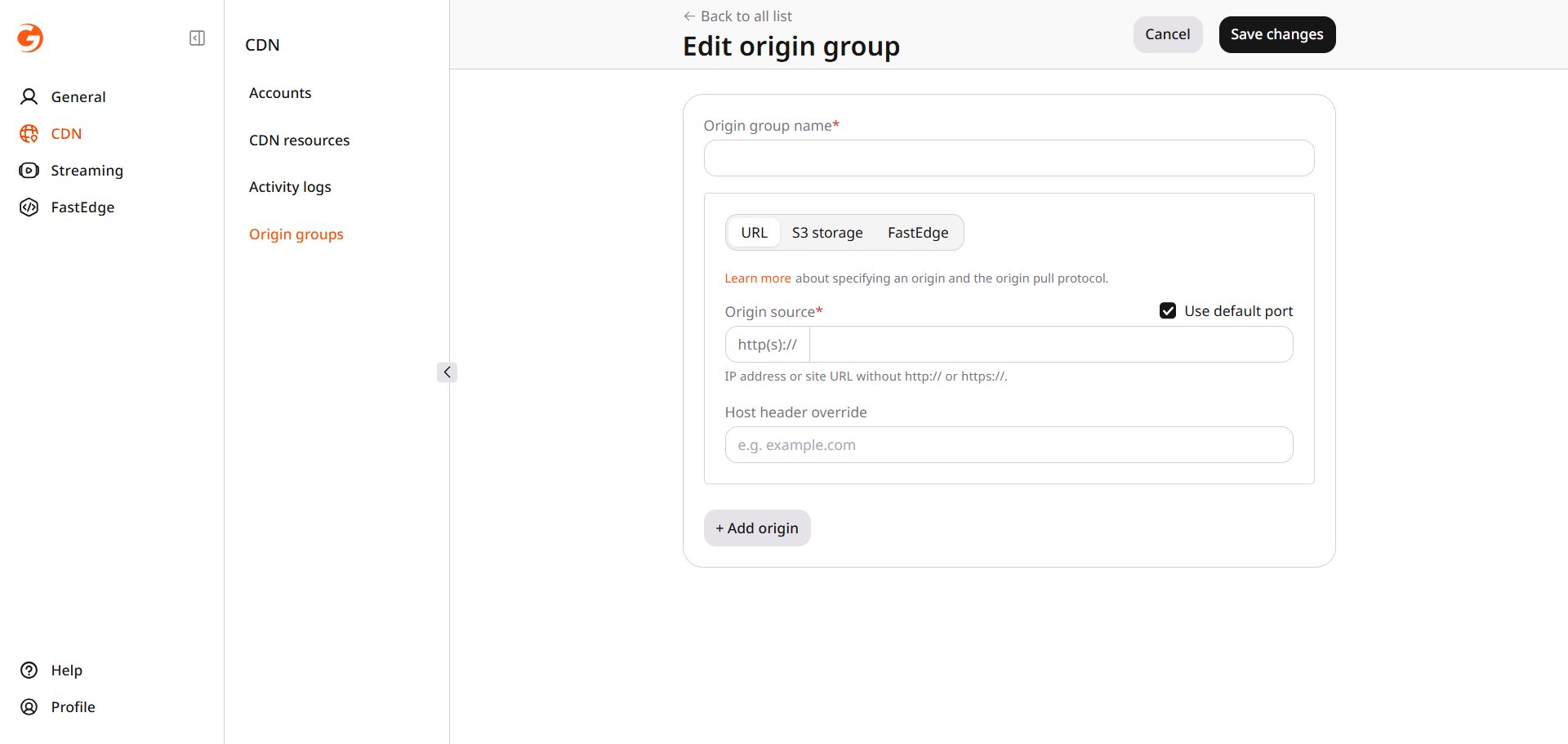 * Click **Add origin** and fill in the new source.
* With more than one source, **Use next upstream** sends the request to the next source in the list when a source returns an error.
* Set a source to **Active** or **Use origin as a backup**.
* **Delete origin** removes a source.
## Delete an origin group
Click the three dots at the end of the row and then **Delete**.
* Click **Add origin** and fill in the new source.
* With more than one source, **Use next upstream** sends the request to the next source in the list when a source returns an error.
* Set a source to **Active** or **Use origin as a backup**.
* **Delete origin** removes a source.
## Delete an origin group
Click the three dots at the end of the row and then **Delete**.