> ## Documentation Index
> Fetch the complete documentation index at: https://docs.gcore.com/llms.txt
> Use this file to discover all available pages before exploring further.
# Cloud service management
> Turn Cloud on for a customer account and where the customer requests a quota increase.
The **Products** page turns Cloud on for a customer account. The account can see Cloud and cannot use it until the status is **Active**.
In **General**, open **Accounts**, select the account ID, and open **Products**.
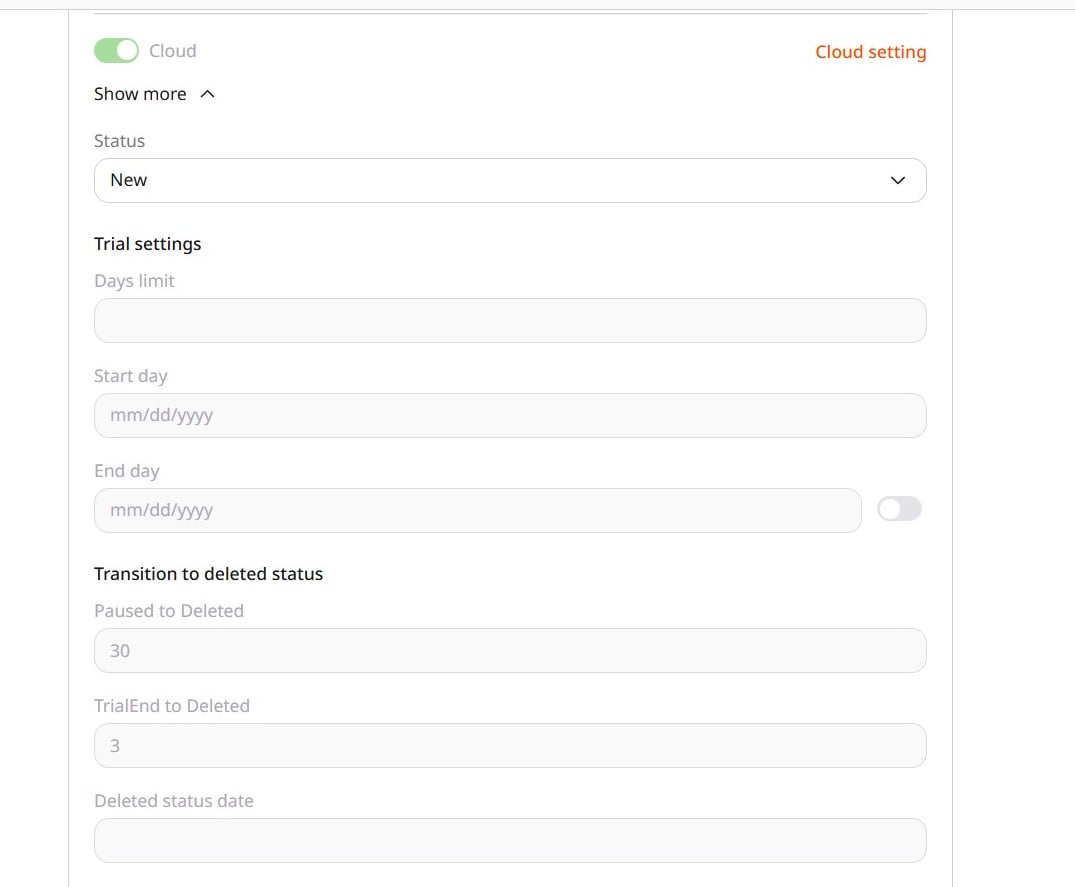 ## Status
The [product status](/reseller-support/accounts/service-statuses) decides when the customer can use Cloud. Trial dates and the days before **Deleted** are set on the same card.
## Quotas
Each Cloud region limits how many resources the account can create. The customer checks usage and requests a [quota increase](/cloud/getting-started/request-a-quota-increase) in Cloud.
## Status
The [product status](/reseller-support/accounts/service-statuses) decides when the customer can use Cloud. Trial dates and the days before **Deleted** are set on the same card.
## Quotas
Each Cloud region limits how many resources the account can create. The customer checks usage and requests a [quota increase](/cloud/getting-started/request-a-quota-increase) in Cloud.