> ## Documentation Index
> Fetch the complete documentation index at: https://docs.gcore.com/llms.txt
> Use this file to discover all available pages before exploring further.
# FastEdge network and plan
> Network and plan on a FastEdge account, and groups that share templates with customers.
Settings on a FastEdge account set the network where that customer's applications are deployed and the plan that bills the usage.
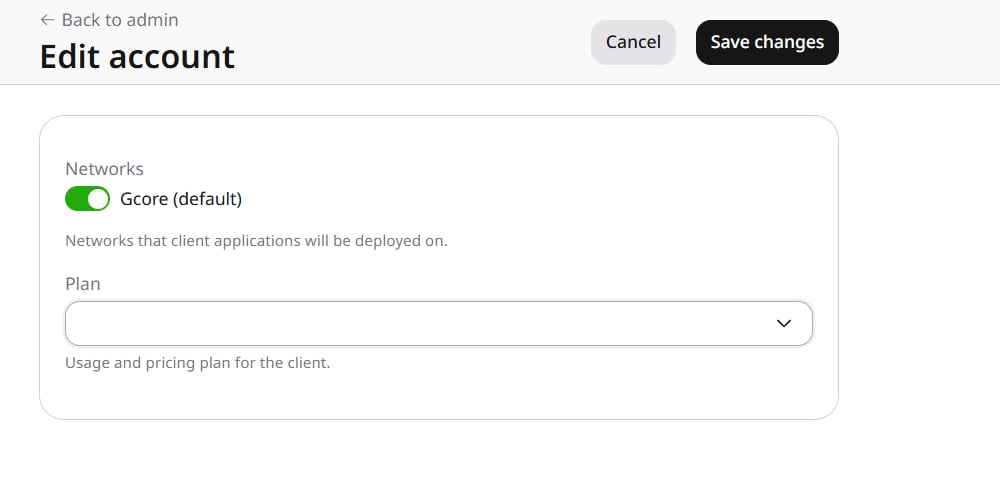
In **General**, open **Accounts**, select the account ID, and on **Products** open **FastEdge setting** to open **Edit account**.
 ## Networks
Applications are deployed on the selected network. **Gcore (default)** is the network selected for the account.
## Plan
**Plan** is the subscription plan the customer's usage is billed under. The list contains the plans available for that customer.
Click **Save changes** to apply the selected network and plan.
## Shared Access
In FastEdge, **Shared Access** lists the groups that decide which customers can use a shared template. A group shows its name, the accounts and templates assigned to it, and its description. **Create group** adds a group. Groups can also be managed with the [Groups API](/api-reference/fastedge-resellers/groups/list-groups).
## Networks
Applications are deployed on the selected network. **Gcore (default)** is the network selected for the account.
## Plan
**Plan** is the subscription plan the customer's usage is billed under. The list contains the plans available for that customer.
Click **Save changes** to apply the selected network and plan.
## Shared Access
In FastEdge, **Shared Access** lists the groups that decide which customers can use a shared template. A group shows its name, the accounts and templates assigned to it, and its description. **Create group** adds a group. Groups can also be managed with the [Groups API](/api-reference/fastedge-resellers/groups/list-groups).