> ## Documentation Index
> Fetch the complete documentation index at: https://docs.gcore.com/llms.txt
> Use this file to discover all available pages before exploring further.
# HTTP templates
> Find a customer HTTP template, share it with a group, or delete it.
The **Templates** page lists the HTTP templates customers created in the Customer Portal. Customers in a group can create an application from a template shared with that group.
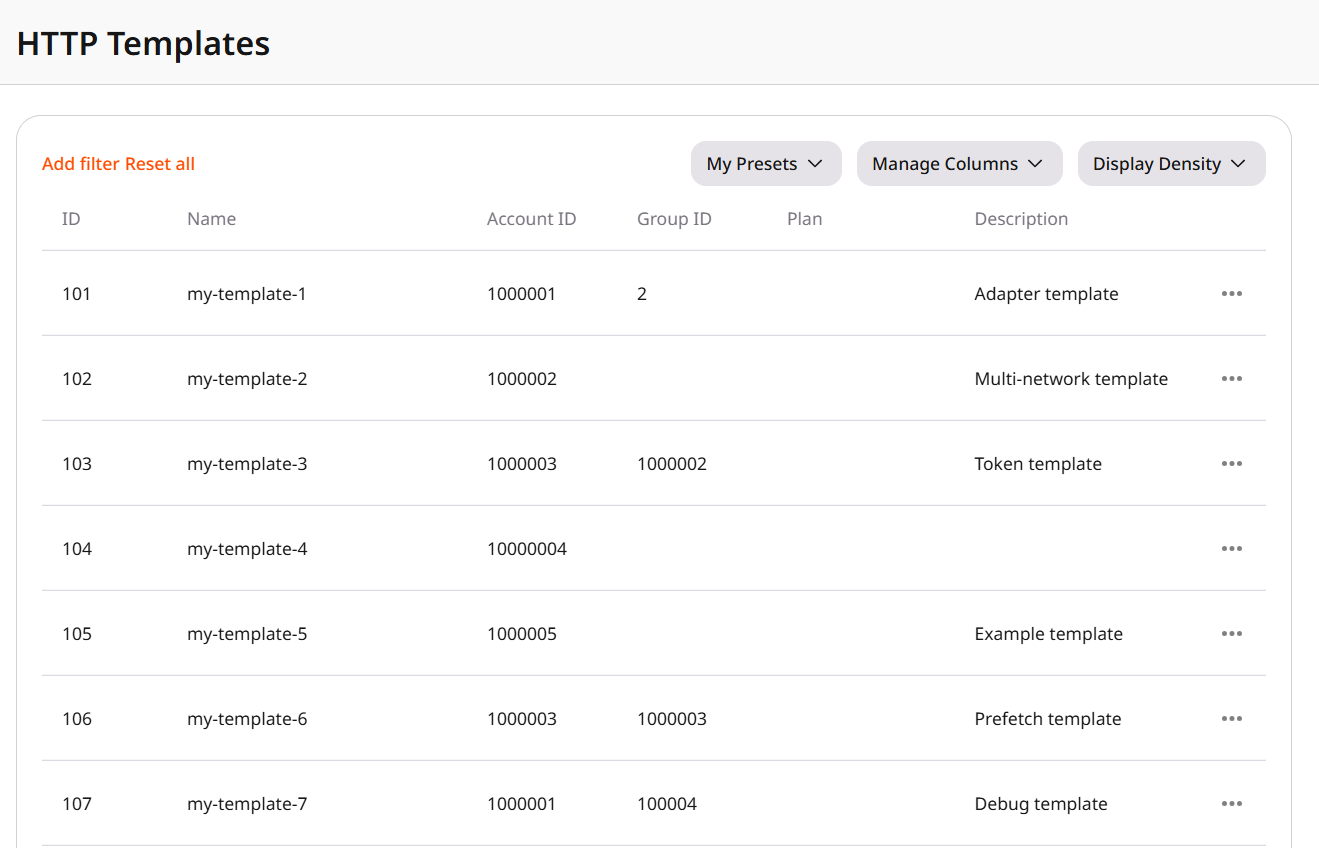 Narrow the list by:
* **Account ID** is the customer account where the template was created.
* **Group ID** is the [Shared Access](/reseller-support/fastedge/fastedge-management#shared-access) group the template is assigned to.
**Reset all** clears the filters. The current filters and columns can be saved as a preset.
**Name** and **Description** are the text the customer set in the Customer Portal. **Instructions**, in **Manage Columns**, are the usage notes supplied with the template. An empty **Group ID** means the template is not shared, so customers cannot open it or create an application from it.
To manage a template, select **View template** to open it, **Sharing** to assign it to a group or to clear that assignment, or **Delete template** to remove it from the Customer Portal. Sharing makes the template available to the customers in the group. Deleting a template is permanent, and restoring it requires uploading the template again.
Narrow the list by:
* **Account ID** is the customer account where the template was created.
* **Group ID** is the [Shared Access](/reseller-support/fastedge/fastedge-management#shared-access) group the template is assigned to.
**Reset all** clears the filters. The current filters and columns can be saved as a preset.
**Name** and **Description** are the text the customer set in the Customer Portal. **Instructions**, in **Manage Columns**, are the usage notes supplied with the template. An empty **Group ID** means the template is not shared, so customers cannot open it or create an application from it.
To manage a template, select **View template** to open it, **Sharing** to assign it to a group or to clear that assignment, or **Delete template** to remove it from the Customer Portal. Sharing makes the template available to the customers in the group. Deleting a template is permanent, and restoring it requires uploading the template again.