> ## Documentation Index
> Fetch the complete documentation index at: https://docs.gcore.com/llms.txt
> Use this file to discover all available pages before exploring further.
# Credentials for applications
> Create a named token that an application can use, and delete it when that access should stop.
An application can make requests for the account without a person signing in on each request. The value is shown only once, at creation. After that, the list shows the name and the expiration date.
Navigate to **General** > **Security** > **API Tokens** and click **Create token**.
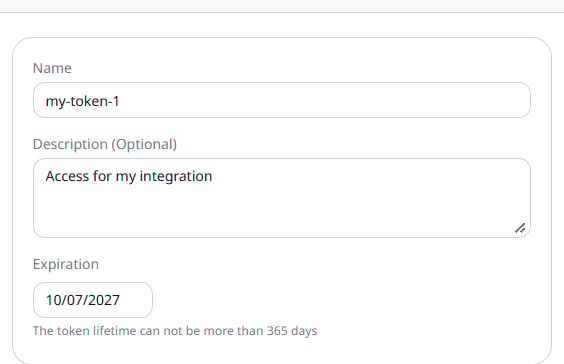
Enter a **Name**, optionally add a **Description**, and set **Expiration**. The date cannot be more than 365 days ahead.
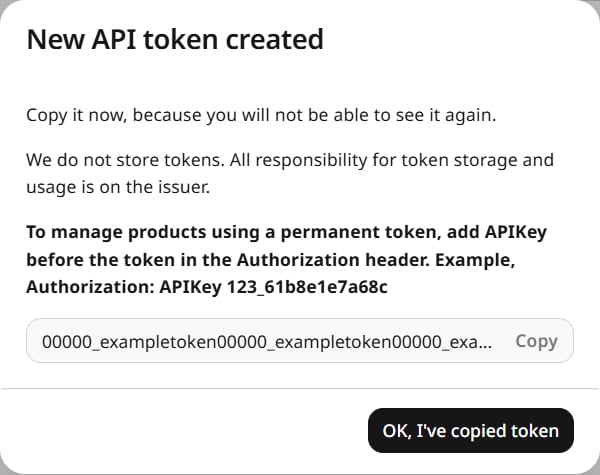
 Click **Create** and copy the token before closing the dialog. It cannot be viewed again. Click **OK, I've copied token** to return to the list.
 ## Send a request
Put `APIKey` and the token in the `Authorization` header. A sign-in session uses `Bearer` in that header instead.
```http theme={null}
GET https://api.gcore.com/iam/clients
Authorization: APIKey
```
The request returns the customer accounts. CDN, Cloud, FastEdge, WAAP, and Billing calls use this header too, and are grouped in [Reseller API](/reseller-support/api).
## Delete a token
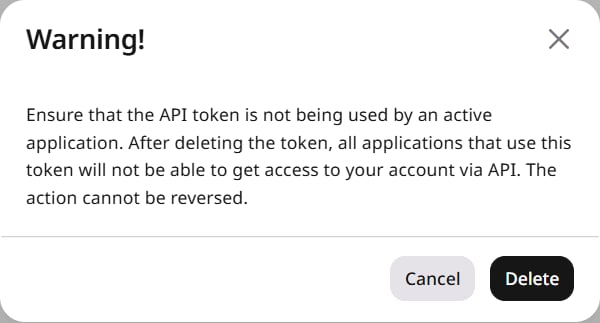
In the token row, open **Actions** and select **Delete API token**, then confirm **Delete**. Applications that use the token lose access, and the deletion cannot be reversed. **Cancel** leaves the token in place.
## Send a request
Put `APIKey` and the token in the `Authorization` header. A sign-in session uses `Bearer` in that header instead.
```http theme={null}
GET https://api.gcore.com/iam/clients
Authorization: APIKey
```
The request returns the customer accounts. CDN, Cloud, FastEdge, WAAP, and Billing calls use this header too, and are grouped in [Reseller API](/reseller-support/api).
## Delete a token
In the token row, open **Actions** and select **Delete API token**, then confirm **Delete**. Applications that use the token lose access, and the deletion cannot be reversed. **Cancel** leaves the token in place.