> ## Documentation Index
> Fetch the complete documentation index at: https://docs.gcore.com/llms.txt
> Use this file to discover all available pages before exploring further.
# How often passwords must change
> Set how often passwords expire for the reseller and for user accounts.
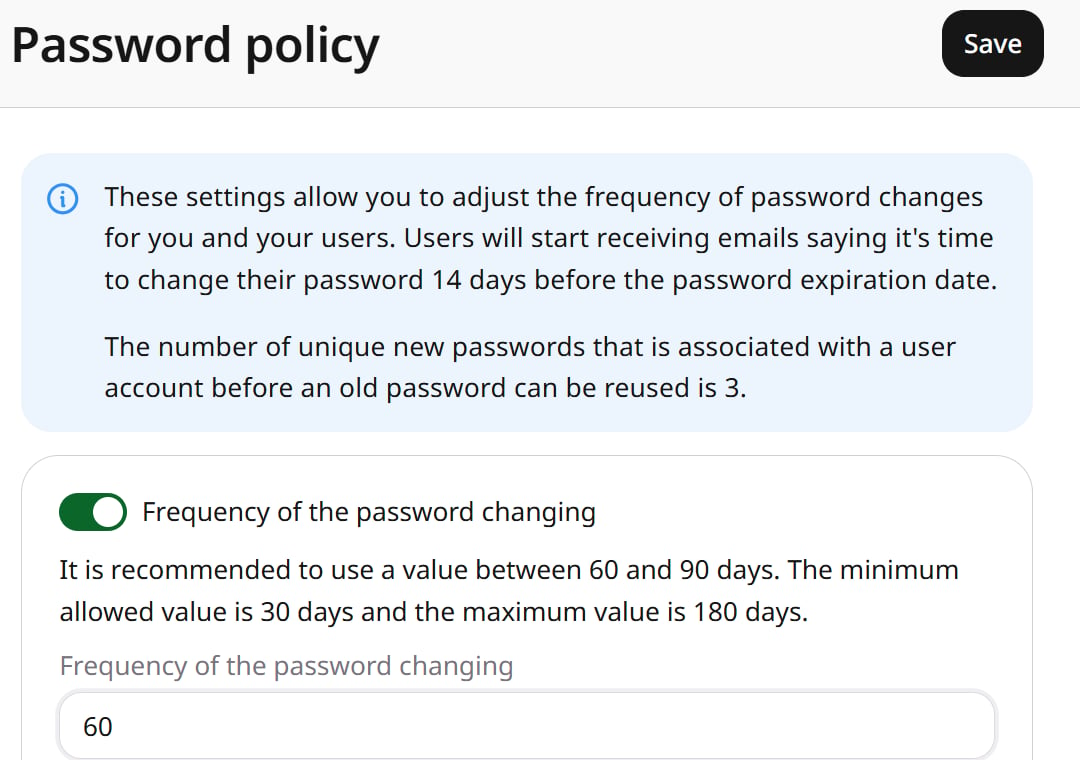
Without an expiration interval, a password stays valid until it is changed. When password expiration is enabled, the reseller and user accounts must change their passwords after the configured number of days. Passwords cannot be reused until three other passwords have been set, regardless of whether expiration is enabled.
Navigate to **General** > **Security** > **Password policy**.
## Set an expiration interval
Enable **Frequency of the password changing**, enter a value between 30 and 180 days (60 to 90 days recommended), and click **Save**. Users receive an email 14 days before the password expires.
 ## Remove the expiration interval
To disable password expiration, turn off **Frequency of the password changing** and click **Save**.
## Remove the expiration interval
To disable password expiration, turn off **Frequency of the password changing** and click **Save**.