> ## Documentation Index
> Fetch the complete documentation index at: https://docs.gcore.com/llms.txt
> Use this file to discover all available pages before exploring further.
# View statistics of live streams and videos
## Video and live streaming statistics
Statistics data is collected only when you use the standard player.
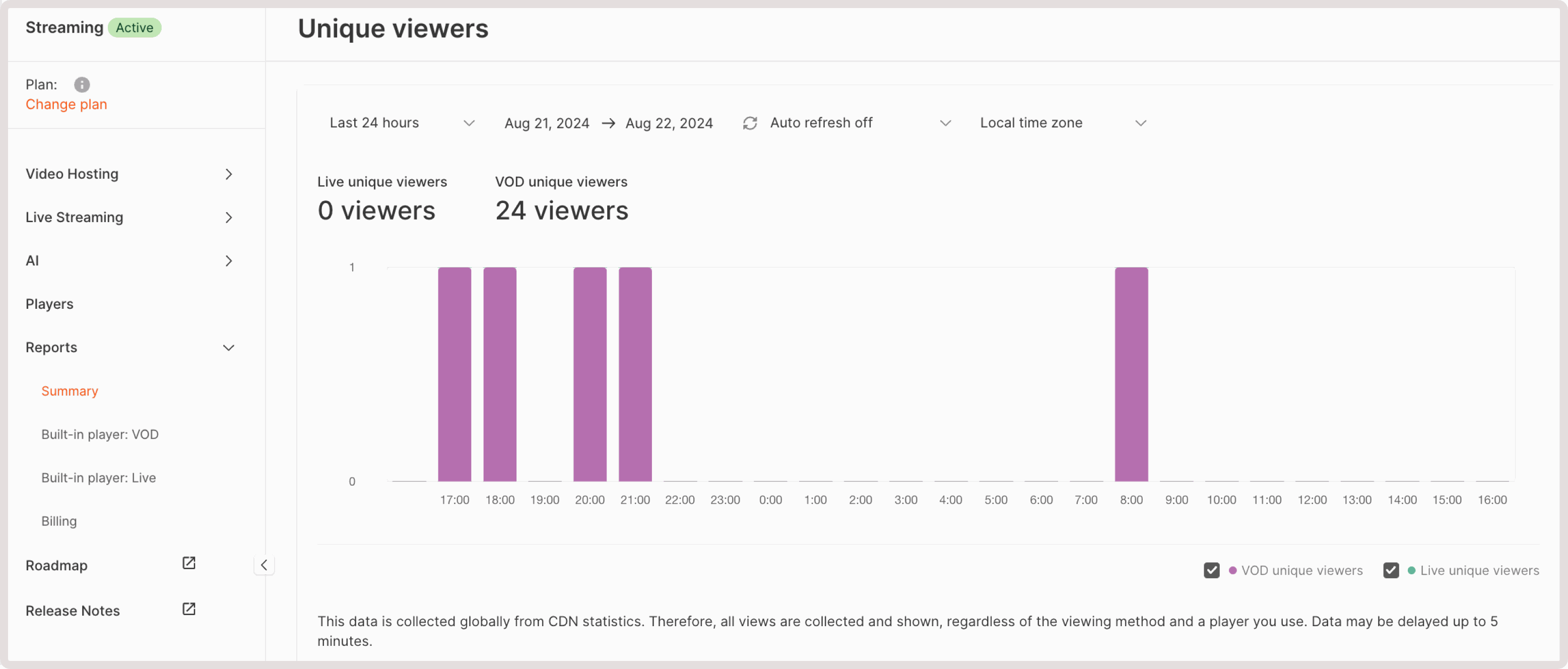
The **Reports** page shows information about [videos](https://portal.gcore.com/streaming/video/list) and [live streams](https://portal.gcore.com/streaming/streaming/list): viewers, their browsers and operating systems, geography, popular videos (only for the **Video** page), as well as URLs of pages that host a player with your video. The data is updated every five minutes and stored for one year.
You can check reports for all videos and live streams or only for a single one. To see overall statistics:
1\. In the Gcore Customer Portal, navigate to **Streaming** > **Reports**.
2\. Choose the relevant subsection: **Built-in player: VOD** or **Built-in player: Live**.
2\. Select the preferred interval (24 hours, 48 hours, week, or month) and dates.
3\. Choose one or more parameters: **Browsers**, **Geography**, **Hosts**, **OS**, or **Viewers**.
 ### Parameters overview
* **Viewers** : The number of viewers. We collect the following information about their behavior:
* **Uploads** : Shows how many times users opened a video or live stream page.
* **Starts** : Indicates how many times users clicked the **Play** button.
* **Viewers** : Specifies how many viewers have watched a video or a live stream for at least 5 seconds.
* **Unique viewers** : Represents the number of unique viewers (we distinguish viewers using several parameters at once: an IP address, screen size, browser, and cookie).
* **Popular videos** (available only for videos): A list of the most viewed videos. We consider only views that are longer than five seconds.
* **Browsers** : Statistics on browsers that your viewers use to watch your video/live stream.
* **OS** : Statistics on users' operating systems.
* **Hosts** : Static data on the URL of requested pages. We consider only views that are longer than five seconds. The `"streaming.gcore.com"`. URL means a video was watched from a personal account.
* **Geography** : A world map that highlights countries where your viewers watch videos/live streams for at least 5 seconds. A user's IP address determines a country.
If you want to see reports for a specific video or live stream, open its settings and navigate to the **Statistics** tab.
### Parameters overview
* **Viewers** : The number of viewers. We collect the following information about their behavior:
* **Uploads** : Shows how many times users opened a video or live stream page.
* **Starts** : Indicates how many times users clicked the **Play** button.
* **Viewers** : Specifies how many viewers have watched a video or a live stream for at least 5 seconds.
* **Unique viewers** : Represents the number of unique viewers (we distinguish viewers using several parameters at once: an IP address, screen size, browser, and cookie).
* **Popular videos** (available only for videos): A list of the most viewed videos. We consider only views that are longer than five seconds.
* **Browsers** : Statistics on browsers that your viewers use to watch your video/live stream.
* **OS** : Statistics on users' operating systems.
* **Hosts** : Static data on the URL of requested pages. We consider only views that are longer than five seconds. The `"streaming.gcore.com"`. URL means a video was watched from a personal account.
* **Geography** : A world map that highlights countries where your viewers watch videos/live streams for at least 5 seconds. A user's IP address determines a country.
If you want to see reports for a specific video or live stream, open its settings and navigate to the **Statistics** tab.