> ## Documentation Index
> Fetch the complete documentation index at: https://docs.gcore.com/llms.txt
> Use this file to discover all available pages before exploring further.
# Domains
## Purpose
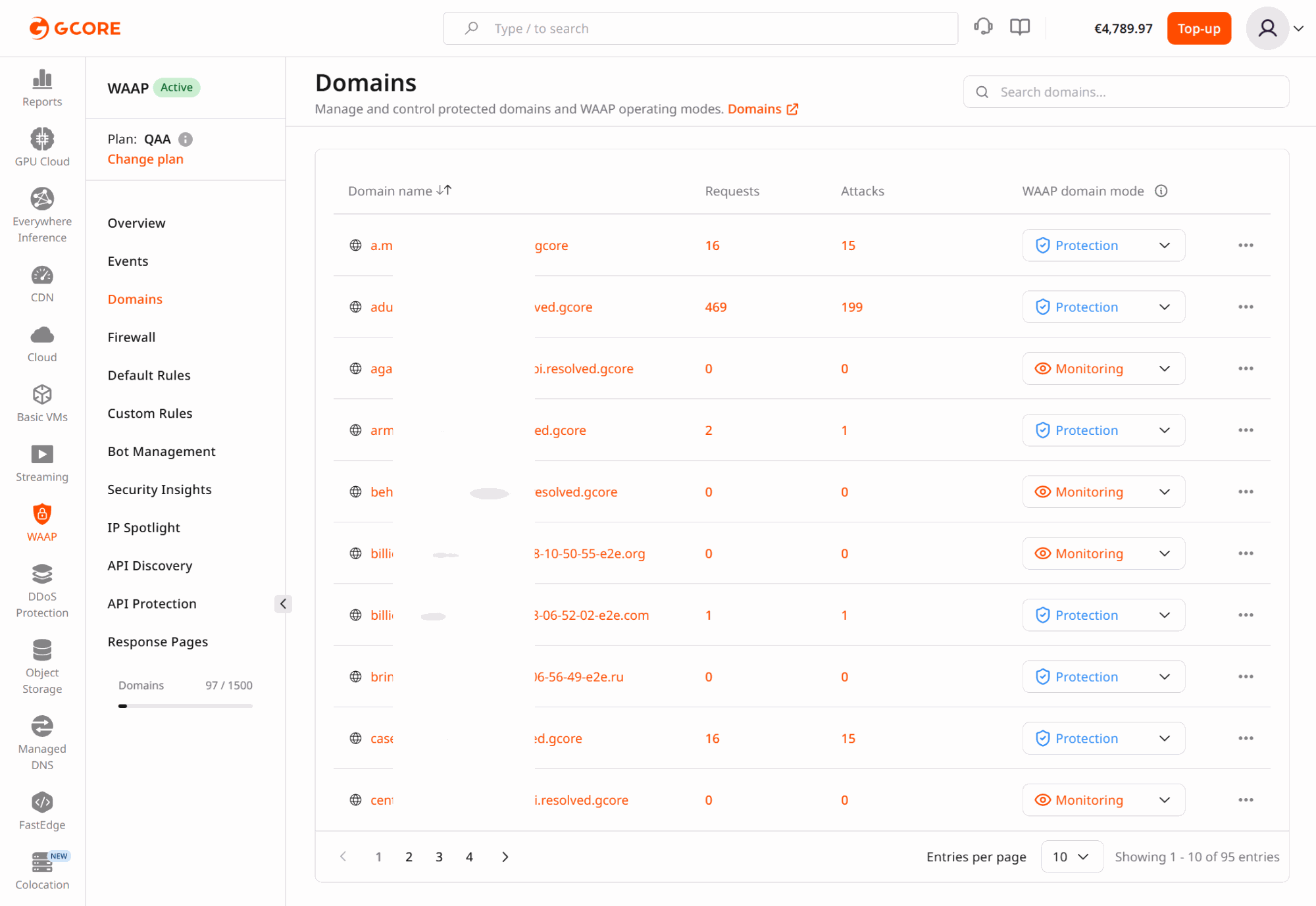
The **Domains** section represents the protected asset inventory in WAAP. It allows teams to quickly locate the applications, APIs, and services protected by WAAP and begin domain-specific analysis.
Each domain acts as the entry point for analytics and security investigation.
 ### Why asset context matters
Security monitoring becomes meaningful only when traffic and events can be mapped to the correct application or API.
Organizations often protect multiple environments, services, and customer-facing assets within one WAAP account. The Domains section provides the link between asset ownership and security operations.
Teams typically use Domains to:
* identify which services are protected
* start analysis for a specific application
* isolate one asset during incident investigation
* understand which domains experience the highest attack pressure
## Real-world use cases
### Investigating a customer-reported incident
If a customer reports suspicious activity on a specific hostname, analysts can navigate directly to that domain and begin investigation without mixing unrelated traffic from other services.
This approach is particularly useful when:
* a single endpoint experiences abnormal traffic
* a production service requires immediate triage
* support teams need domain-specific analysis
### Separating environments
Many organizations maintain separate domains for production, staging, administrative interfaces, and partner APIs.
By selecting a single domain, analysts can investigate activity within that environment without the noise created by unrelated services.
This isolation is especially valuable when diagnosing security alerts or verifying new deployments.
### Prioritizing high-risk assets
Certain assets carry significantly higher security risk, including:
* authentication services
* payment endpoints
* API gateways
* customer dashboards
Domain-level analytics allows teams to determine which assets attract the highest attack volumes and where stronger protection policies may be required.
### Managing multi-tenant platforms
SaaS providers often serve multiple customers using different domains or subdomains. Domain-scoped analytics allows security teams to investigate incidents affecting one tenant without exposing or mixing traffic from other tenants.
## Recommended workflow
Treat Domains as the entry point for WAAP analytics:
1. Select the domain associated with the application or API.
2. Review Dashboard metrics to assess security posture.
3. Pivot into Events for detailed investigation.
4. Return to the account-level view to determine whether the pattern affects multiple domains.
This workflow ensures that investigations remain aligned with the correct application context while maintaining visibility across the entire platform.
### Why asset context matters
Security monitoring becomes meaningful only when traffic and events can be mapped to the correct application or API.
Organizations often protect multiple environments, services, and customer-facing assets within one WAAP account. The Domains section provides the link between asset ownership and security operations.
Teams typically use Domains to:
* identify which services are protected
* start analysis for a specific application
* isolate one asset during incident investigation
* understand which domains experience the highest attack pressure
## Real-world use cases
### Investigating a customer-reported incident
If a customer reports suspicious activity on a specific hostname, analysts can navigate directly to that domain and begin investigation without mixing unrelated traffic from other services.
This approach is particularly useful when:
* a single endpoint experiences abnormal traffic
* a production service requires immediate triage
* support teams need domain-specific analysis
### Separating environments
Many organizations maintain separate domains for production, staging, administrative interfaces, and partner APIs.
By selecting a single domain, analysts can investigate activity within that environment without the noise created by unrelated services.
This isolation is especially valuable when diagnosing security alerts or verifying new deployments.
### Prioritizing high-risk assets
Certain assets carry significantly higher security risk, including:
* authentication services
* payment endpoints
* API gateways
* customer dashboards
Domain-level analytics allows teams to determine which assets attract the highest attack volumes and where stronger protection policies may be required.
### Managing multi-tenant platforms
SaaS providers often serve multiple customers using different domains or subdomains. Domain-scoped analytics allows security teams to investigate incidents affecting one tenant without exposing or mixing traffic from other tenants.
## Recommended workflow
Treat Domains as the entry point for WAAP analytics:
1. Select the domain associated with the application or API.
2. Review Dashboard metrics to assess security posture.
3. Pivot into Events for detailed investigation.
4. Return to the account-level view to determine whether the pattern affects multiple domains.
This workflow ensures that investigations remain aligned with the correct application context while maintaining visibility across the entire platform.