

Connect an identity provider
Gcore and the identity provider exchange SAML metadata. Import Gcore’s metadata into the identity provider fromhttps://api.gcore.com/iam/auth/saml2/metadata. That address returns the service provider XML.
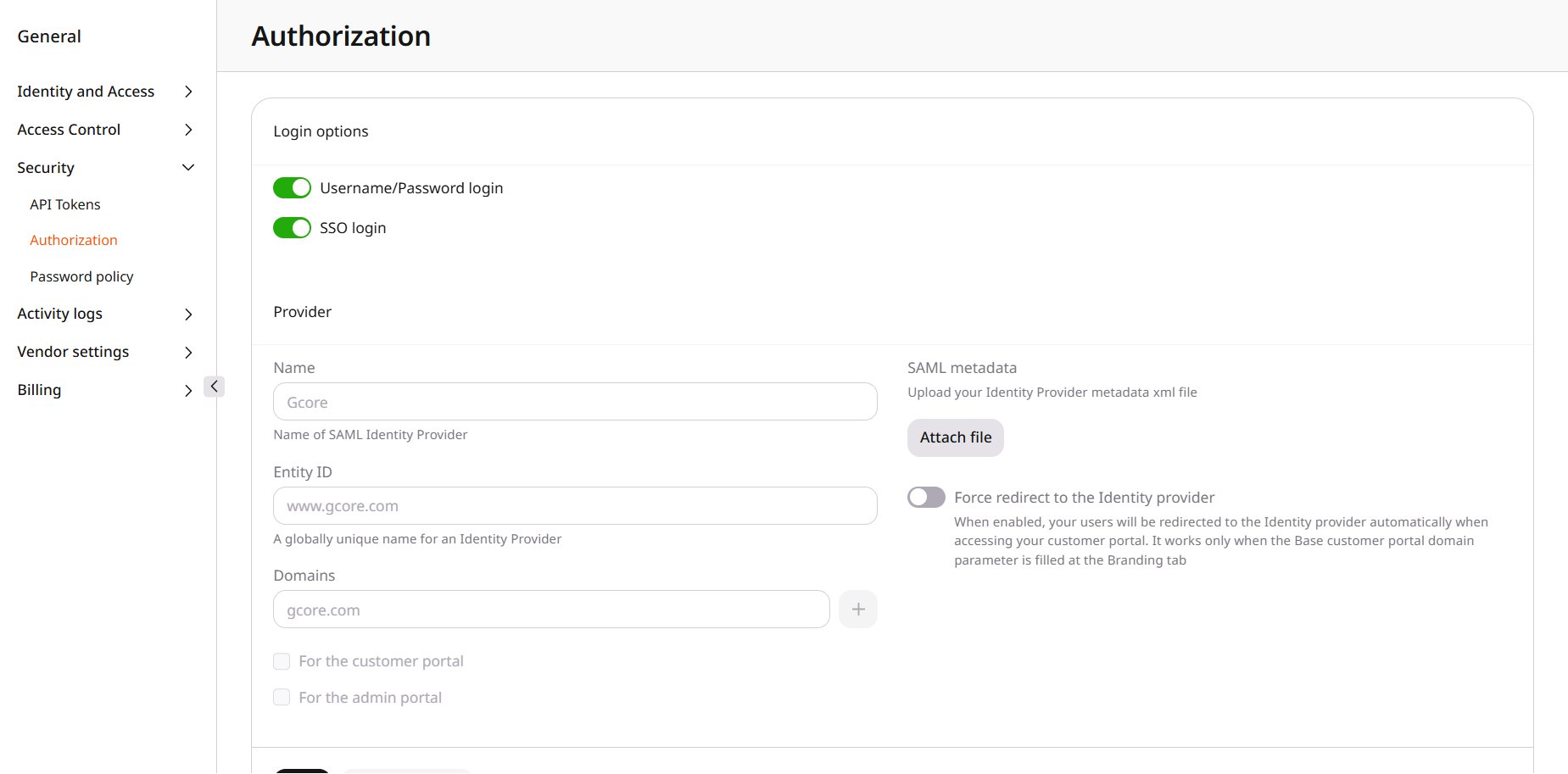
In Gcore, enable SSO login. Keep Username/Password login on when password sign-in should remain available. The Provider section opens.
Enter a Name, the provider’s Entity ID, and a corporate domain in Domains. Click + to add another domain. Under SAML metadata, click Attach file and upload the identity provider’s metadata XML. For the customer portal and For the admin portal become available after the name, entity ID, a domain, and that file are filled in. Select For the customer portal, For the admin portal, or both, and click Save.
Sign in with SAML
Click Sign in with SAML SSO and enter the Work domain. The identity provider completes the sign-in. When Force redirect to the Identity provider is on, the Work domain prompt is skipped.Sign in from the identity provider
A sign-in that starts at the identity provider is sent to Gcore first. Direct it tohttps://auth.gcore.com. When Base customer portal domain is company.com, the sign-in host is https://auth.company.com. SSO login is on, the provider is saved, and Force redirect to the Identity provider is on. Set the identity provider to require a service-provider sign-in, so it opens that Gcore address before authentication. Gcore then sends the account back to the identity provider, and the account opens in the customer portal.