

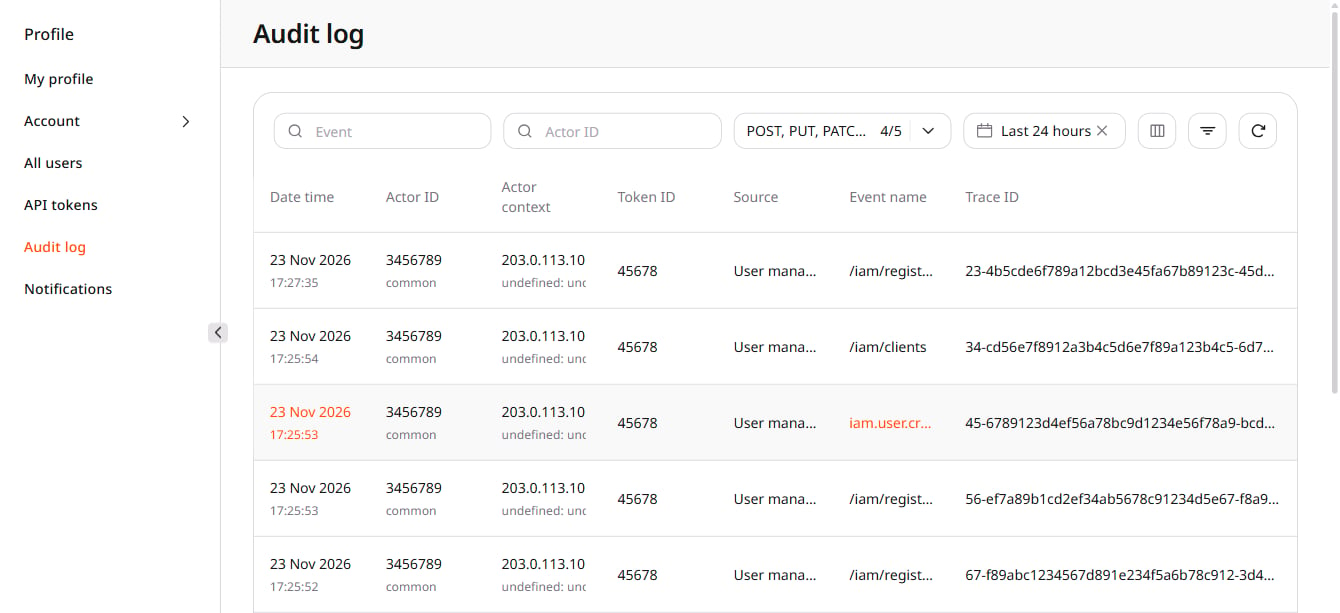
Read an entry
The newest events are listed first. A row does not open a detail view.
The column button shows or hides these columns. Drag a column edge to change its width. Entries per page can be 10, 20, 50, or 100. The page opens at 10.
Filter events
The table updates when a filter changes. If nothing matches, the page says No events match your filters. These filters are on the page when it opens:- Event matches an event name that contains the text.
- Actor ID matches the user ID.
- The method list contains GET, POST, PUT, PATCH, and DELETE. POST, PUT, PATCH, and DELETE are selected, so GET requests appear only after GET is selected.
- The date filter opens on Last 24 hours. The other choices are Last week, Last month, Last 3 months, and Custom range. Custom range is a start day and an end day.
- Source
- Trace ID, which matches the trace text, including a prefix of it
- Token ID, which matches the API token ID
- (Meta) Entity ID, (Meta) Entity type, and (Meta) Task ID, which match metadata stored on the event. Entity type includes Stream and Video.
- (Meta) Custom filters, which matches a metadata key and a value
- User management
- Notifications
- Access management
- Authentication
- Billing
- CDN
- Object Storage
- Streaming
- Cloud
- Colocation Services
- DDoS Protection
- Managed DNS
- FastEdge
- WAAP
- Everywhere Inference
user_login in the Event filter and select Authentication as the source.
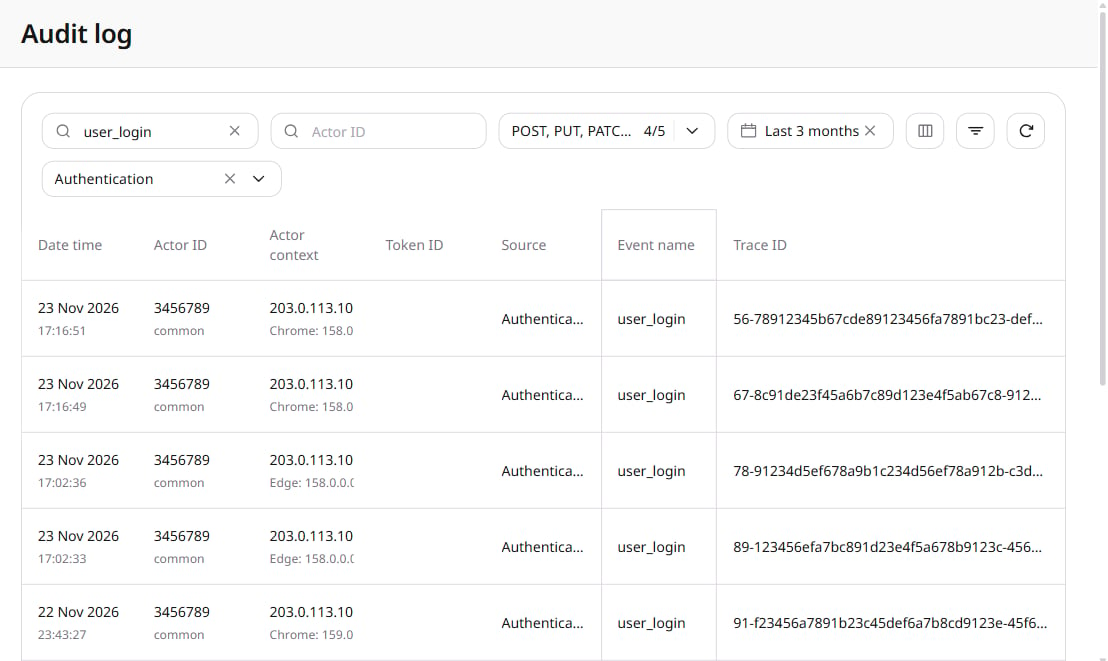
iam.user.create, iam.auth.password.reset, iam.auth.password.recover, iam.auth.invitation.resend, and /iam/register. Streaming records streaming.live.stream.created and streaming.live.stream.deleted.