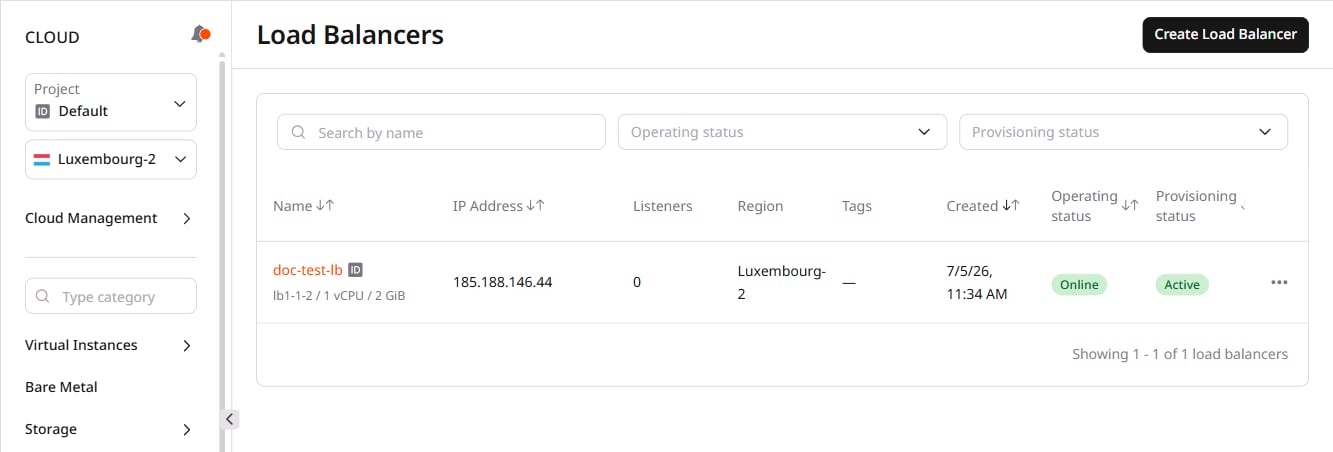
Step 1. Open Load Balancer settings
In the Cloud menu, select Networking and then Load Balancers. Click the Load Balancer name to open its settings.
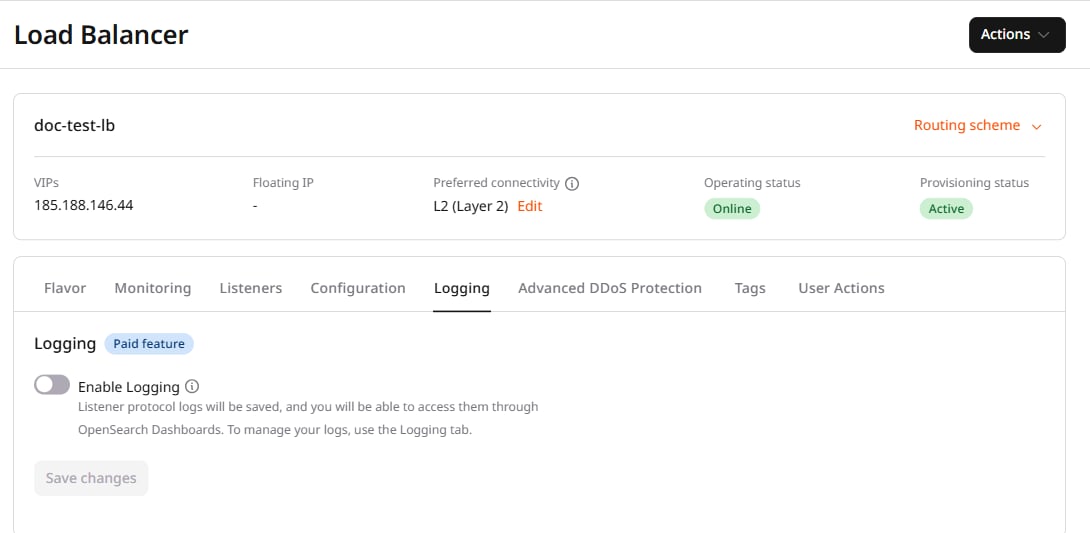
Step 2. Enable logging
Go to the Logging tab and turn on the Enable Logging toggle.
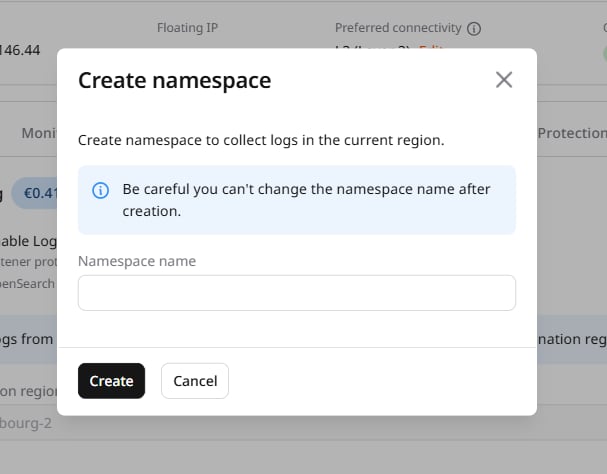
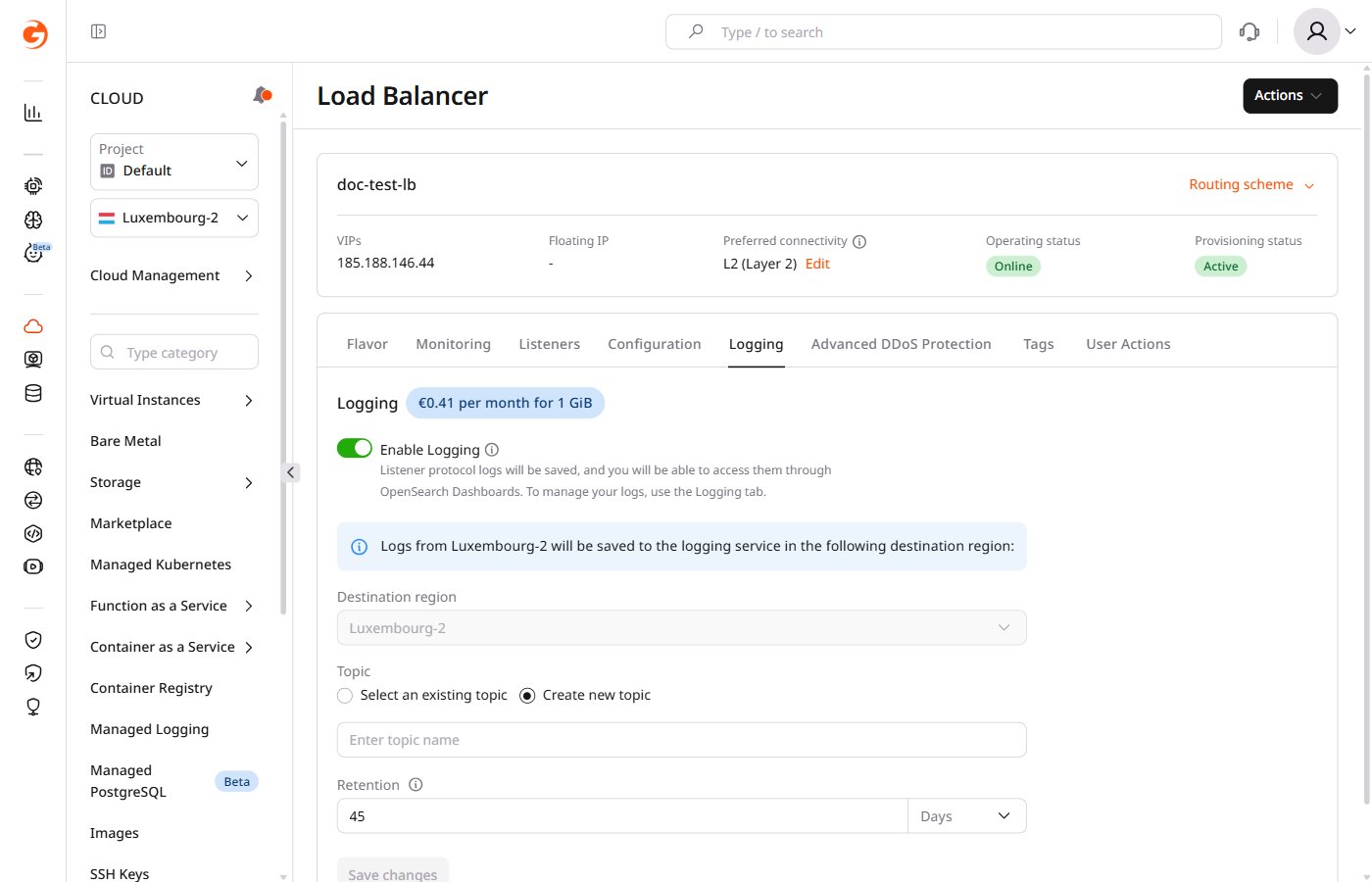
Step 3. Configure logging settings
1. If no namespace exists for the destination region, the Create namespace dialog appears. Enter the namespace name and click Create.What is a namespace
What is a namespace
Previously, namespaces appeared as non-human-readable strings —
cbc25c71af8d4f7ca6cbbcdc5a4d68fe.your-topic — used as prefixes for topics. We added support for human-readable namespaces — namespace123.your-topic — to make them easier to identify.- Use only lowercase Latin letters and digits
- Spaces and underscores are prohibited
- Length must be between 2–32 characters
- The name must be unique for the destination region
Throughput test results
The table lists measured log delivery throughput (K RPS) for each source/destination pair, where source is the Load Balancer region and destination is the Managed Logging service location.| Source | Destination | Measured log delivery throughput, K RPS |
|---|---|---|
| Amsterdam | Luxembourg | 9.6 |
| Amsterdam-2 | Luxembourg | 14.4 |
| Darmstadt | Luxembourg | 16.8 |
| Frankfurt | Luxembourg | 8 |
| Tokyo | Luxembourg | 1.6 |
| Istanbul | Luxembourg | 8.8 |
| London | Luxembourg | 17.6 |
| Luxembourg-2 | Luxembourg | 12 |
| Warsaw | Luxembourg | 11.2 |
| Paris-2 | Luxembourg | 14.4 |
| Dubai | Luxembourg | 17.6 |
| Almaty | Luxembourg | 16 |
| Johannesburg | Luxembourg | 11.2 |
| Newport | Luxembourg | 16.8 |
| Dubai | Singapore | 16.8 |
| Almaty | Singapore | 12.8 |
| Tokyo | Singapore | 9.6 |
| Singapore | Singapore | 14.4 |
| Johannesburg | Singapore | 11.2 |
| Sydney | Singapore | 10.4 |
| Mumbai | Singapore | 17.6 |
| Hong Kong | Singapore | 10.4 |
| Chicago | Manassas | 8 |
| Manassas | Manassas | 15.2 |
| Santa Clara | Manassas | 7.2 |
| Sao Paulo | Manassas | 14.4 |
| Sao Paulo-2 | Manassas | 16.8 |