Deleting a virtual server permanently removes it from the account, erases all data, and stops billing.
Deletion is irreversible. Back up any important files before proceeding.
Delete a server
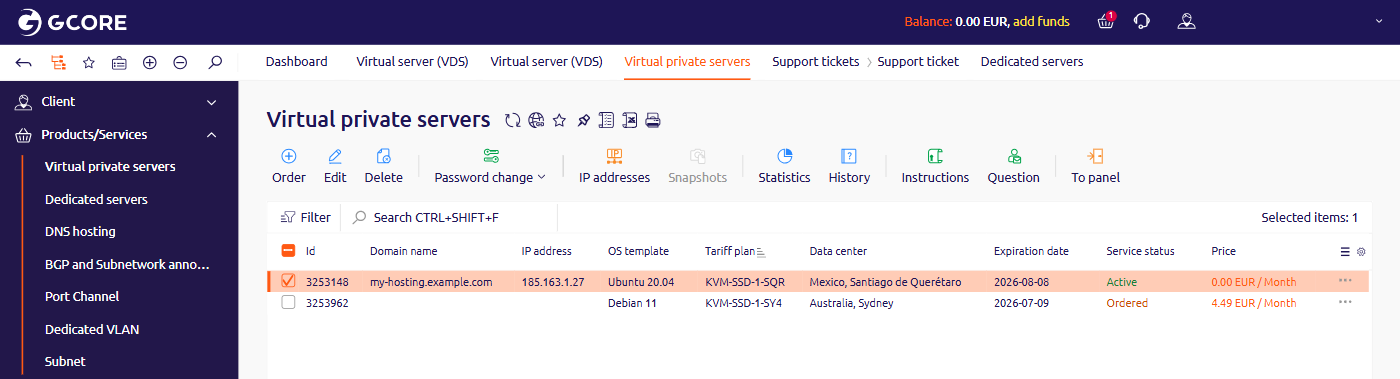
- In the Gcore Hosting Portal, navigate to Virtual private servers in the left-side menu.
- Select the checkbox next to the server and click Delete in the toolbar.
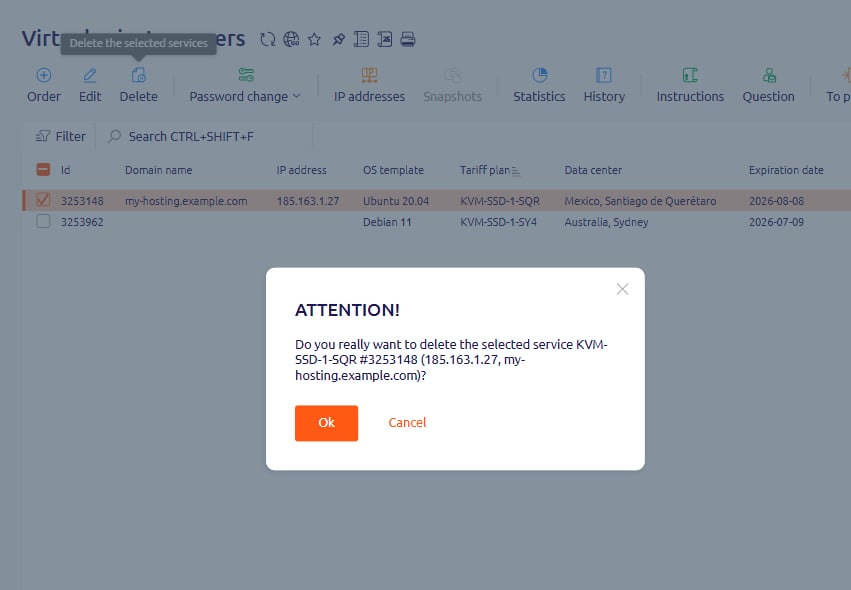
- In the confirmation dialog, click Ok.
The server is removed from the list, all data is erased, and billing stops.
Minimum service term
Virtual servers have a one-month minimum service term. If a deletion attempt is blocked, a warning icon appears on the server row. Hover over the icon to see how many days remain before deletion is allowed.
To resolve other deletion errors, contact support.