

Change the tariff plan
1
Open Change tariff
In the left sidebar, open Products/Services and select Virtual servers. Select the server and click Change tariff.
2
Select the new plan
On Change tariff plan, select a plan in New tariff plan and click Next >>.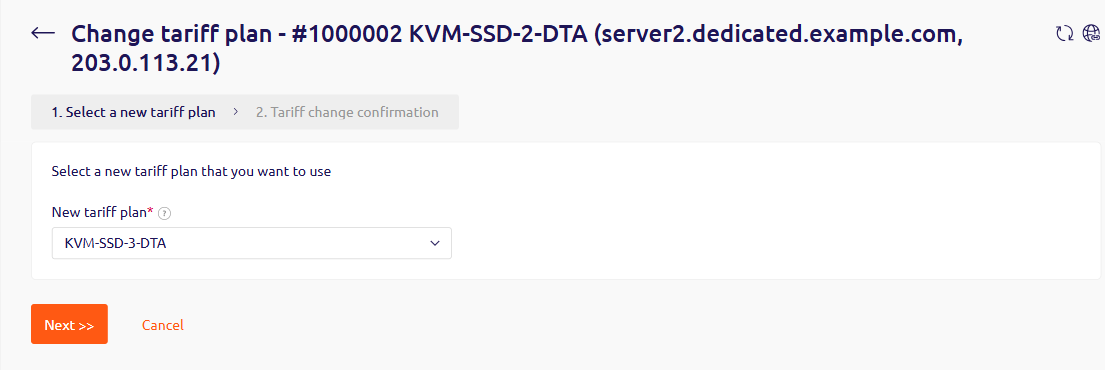
3
Review the confirmation
The confirmation shows Current tariff plan, New tariff plan, Current end date, New end date, Current price, and New price. The service expiration date is recalculated from the new plan price, and the server reboots automatically when the change is applied.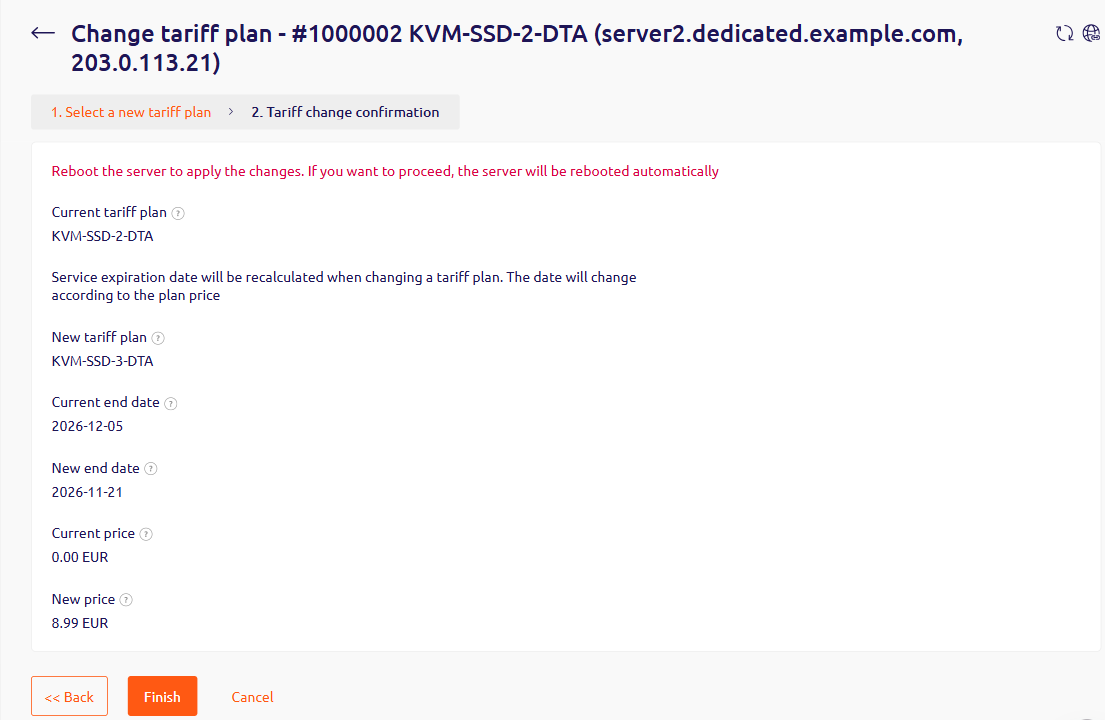
- Click Finish to apply the new plan.
- Click << Back to return to the plan list.
- Click Cancel to leave the server unchanged.