Presigned URLs provide temporary, credential-free access to private files in Gcore Object Storage. The file owner generates a URL with a configurable expiry time — anyone who receives it can download the file during the URL’s lifetime without storage credentials. Only those with valid access keys (Access key and Secret key) can generate presigned URLs.

Presigned URL workflow

1

Generate the URL

The storage owner sets an expiry time and generates a presigned URL.
2

Share the URL

The owner sends the URL to users who need temporary access to the file.
3

Recipients receive the URL

Recipients receive a URL in the following format:
https://<hostname>/bucket/image.jpg
  ?X-Amz-Algorithm=AWS4-HMAC-SHA256
  &X-Amz-Credential=...
  &X-Amz-Date=...
  &X-Amz-Expires=3600
  &X-Amz-SignedHeaders=host
  &X-Amz-Signature=...
ParameterDescription
https://<hostname>/bucket/image.jpgPath to the file in the bucket.
X-Amz-Algorithm=AWS4-HMAC-SHA256Encryption algorithm used for the link signature.
X-Amz-Credential=...Additional info about the request (AWS region and time).
X-Amz-Date=...Timestamp of the link creation (format YYYYMMDDTHHmmssZ).
X-Amz-Expires=3600Link lifespan in seconds.
X-Amz-SignedHeaders=hostHTTP headers included in the signature.
X-Amz-Signature=...Signature that authorizes access to the file.
4

File access

During the link’s lifespan, anyone with the URL can view and download the file.
5

Link expiry

When the link expires, the file becomes inaccessible. Clicking the link returns an UnknownError response:
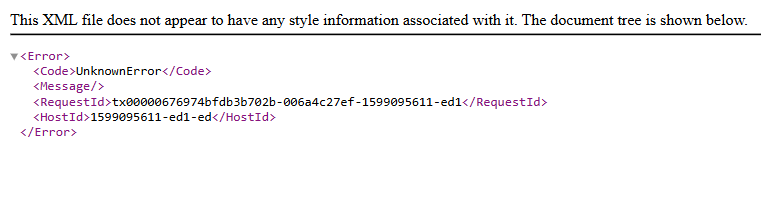
Access denied error for expired presigned URL
To restrict access by IP address, add an IP policy to the bucket.

Presigned URL generation

AWS CLI and S3cmd both support presigned URL generation.

AWS CLI

Run the following command, replacing the placeholder values:
aws s3 presign s3://example-bucket/image.jpg --expires-in 60480 --endpoint-url https://<storage-hostname>
ParameterDescription
example-bucketThe name of the bucket that contains the file.
image.jpgThe file to share.
60480Link lifespan in seconds; the maximum is 604800 (7 days).
<storage-hostname>The storage hostname from the Details section in the Gcore Customer Portal.
The command outputs a presigned URL. Copy and send it to the intended recipients.

S3cmd

The S3cmd signurl command takes a bucket path and an expiry timestamp rather than a duration in seconds. Run the following command, replacing the placeholder values:
s3cmd signurl s3://example-bucket/image.jpg 1657457538
ParameterDescription
example-bucketThe name of the bucket that contains the file.
image.jpgThe file to share.
1657457538Link expiry time as a Unix timestamp; use a converter to convert a date and time to Unix timestamp format.
Alternatively, set the expiry using a shell expression — this example sets a 7-day lifespan:
s3cmd signurl s3://example-bucket/image.jpg $(echo "`date +%s` + 3600 * 24 * 7" | bc)
The shell expression computes a Unix timestamp 7 days from the current time. The command outputs a presigned URL — copy and send it to the intended recipients.