

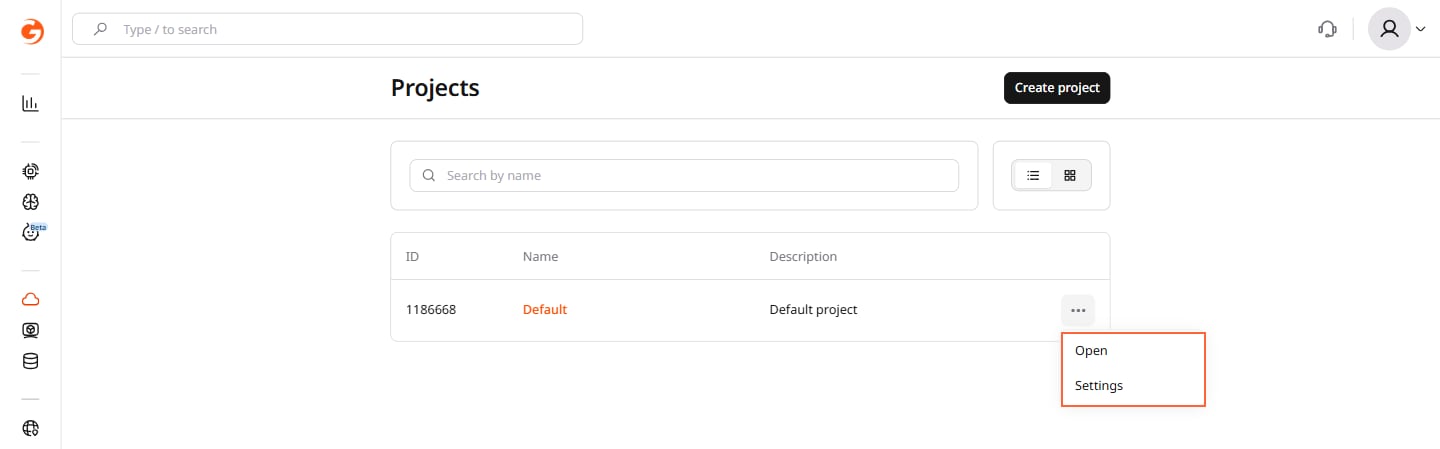
- In the Gcore Customer Portal, navigate to the Projects section, click the three-dots menu next to the project, and select Settings.
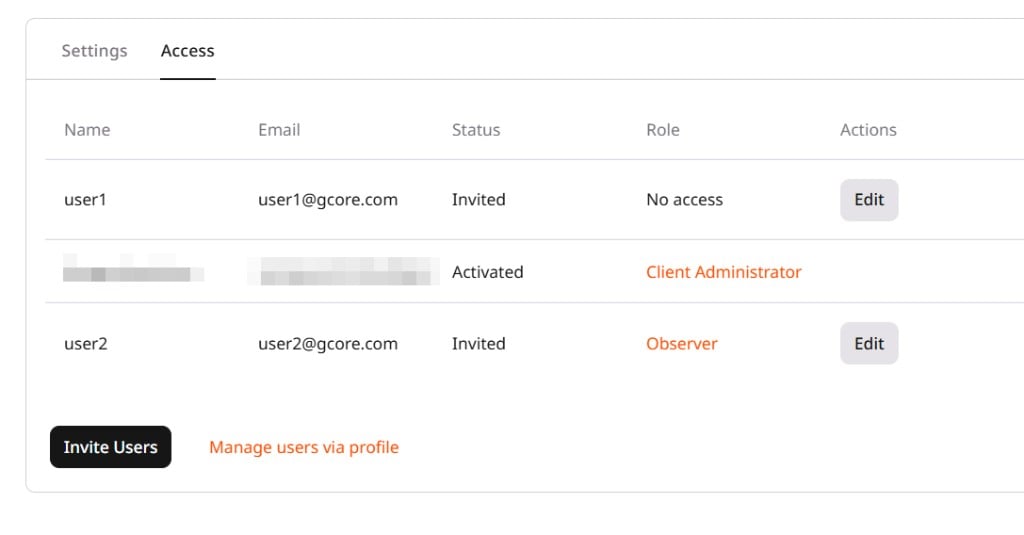
- Open the Access tab.
- Click Invite Users.
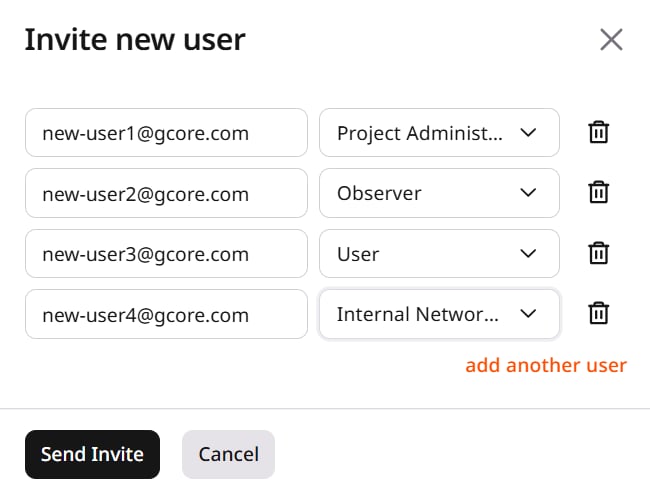
- Enter the email address, select a role, and click Send Invite. To invite multiple users, click add another user and repeat for each. Both existing and new users can be invited.
- If the user is not registered, Gcore sends an email with a link to create a password. After creating a password, the user can log in.
- If the user already has a Gcore account, Gcore sends a notification about the newly granted project access. After accepting the invitation, the user can select the project when signing in.