

1
Open the dedicated servers list
In the Gcore Hosting Portal, navigate to Products/Services > Dedicated servers and select the server.
2
Open the power controls
Power On/Off is not a toolbar button.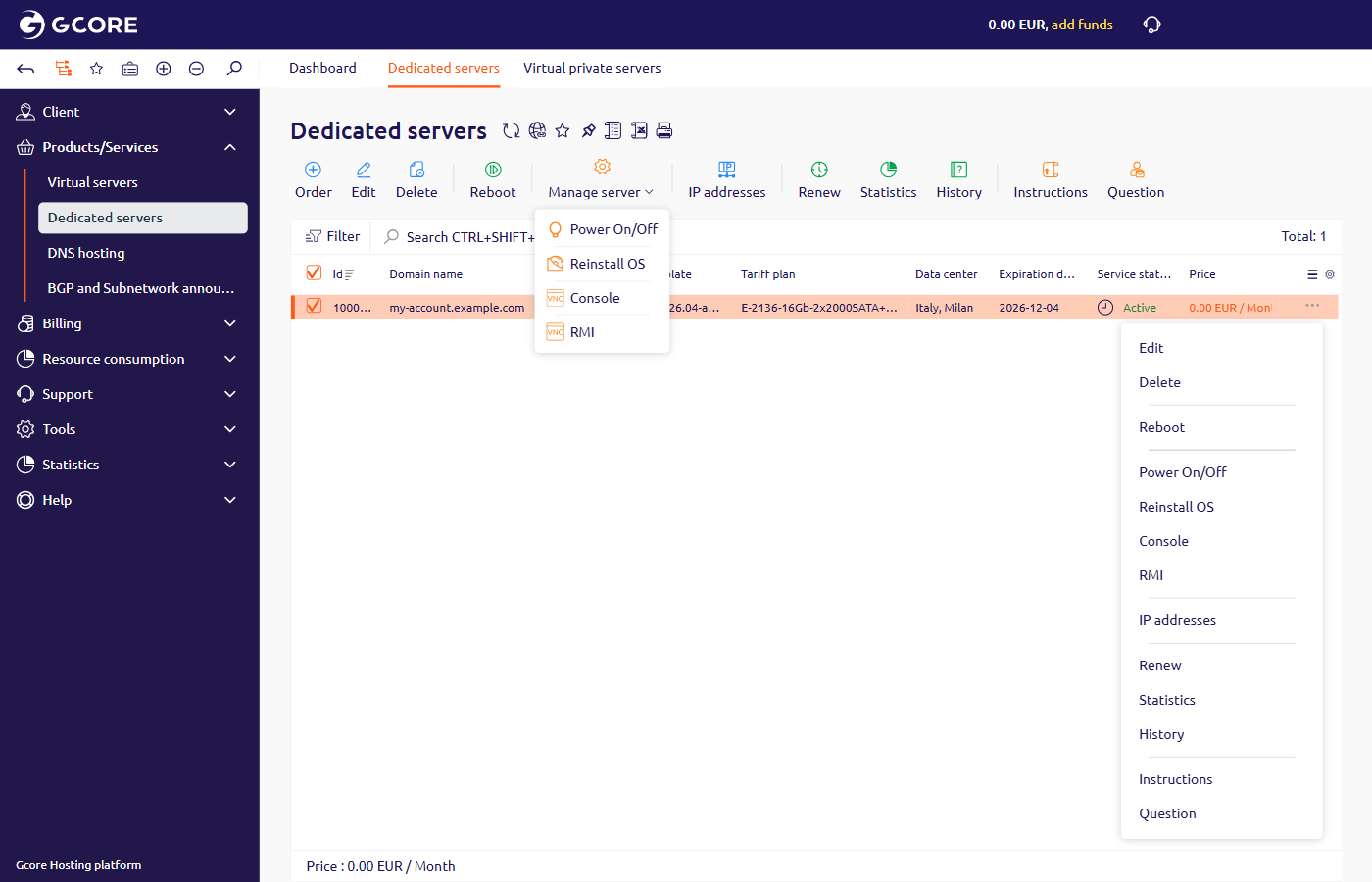
- On the toolbar, click Manage server, then click Power On/Off.
- Click the button at the end of the row, then click Power On/Off.
3
Switch the power state
Current state (DCI) shows 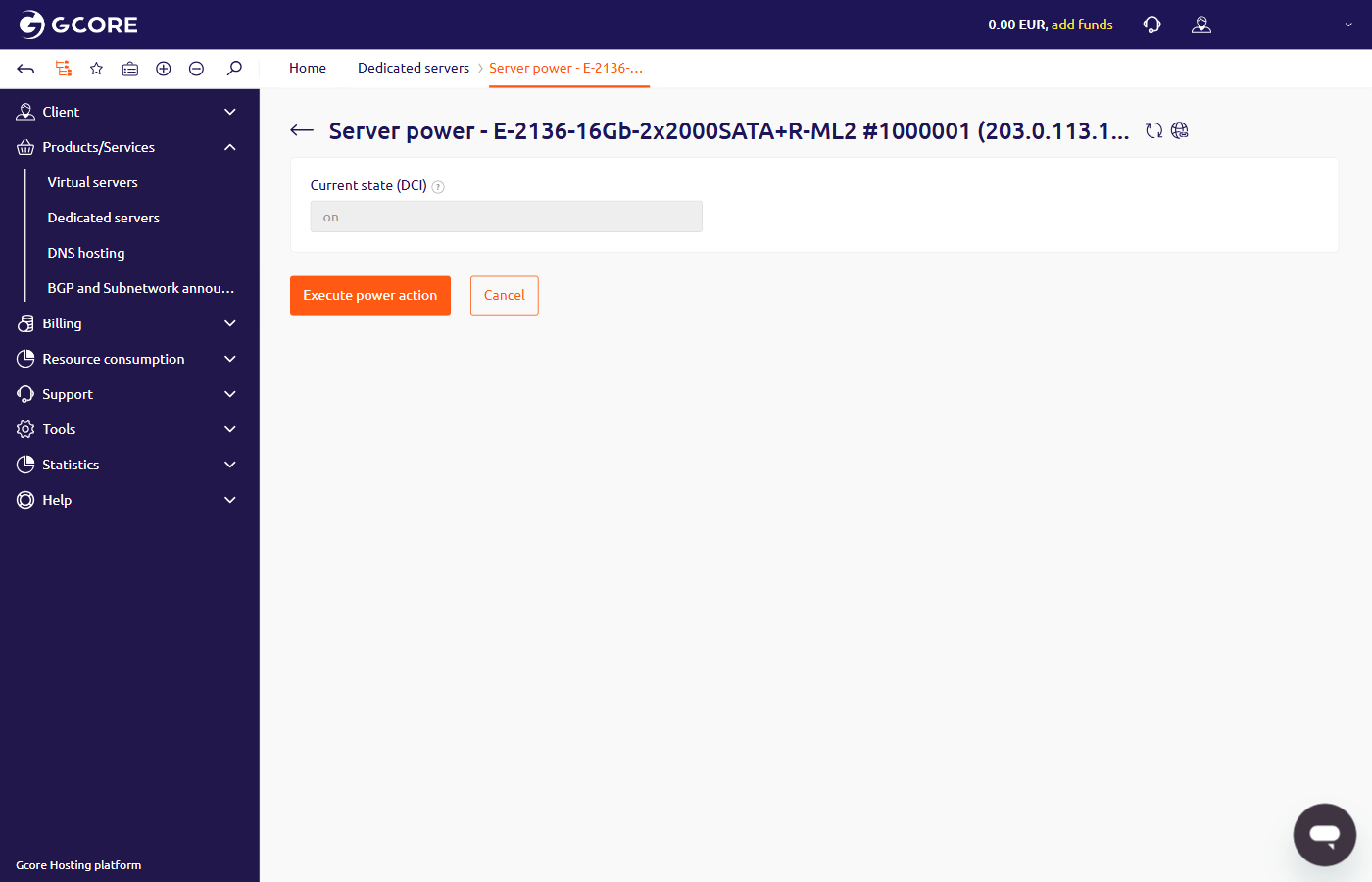
on or off. The page has no separate control for the target state.- Click Execute power action to switch the server to the other state.
onpowers the server off, andoffpowers it on. The portal checks the state again before it sends the command. - Click Cancel to close the page and leave the server unchanged.
4
Reboot the server
Reboot is a toolbar button.
- On the toolbar, click Reboot.
- Click the button at the end of the row, then click Reboot.
If Server power does not open or an error appears, contact technical support and attach a screenshot of the error.