Access IPMI
1
Open DCImanager
Navigate to the Dedicated servers section in the Gcore Hosting Portal, select an active server, and click To panel.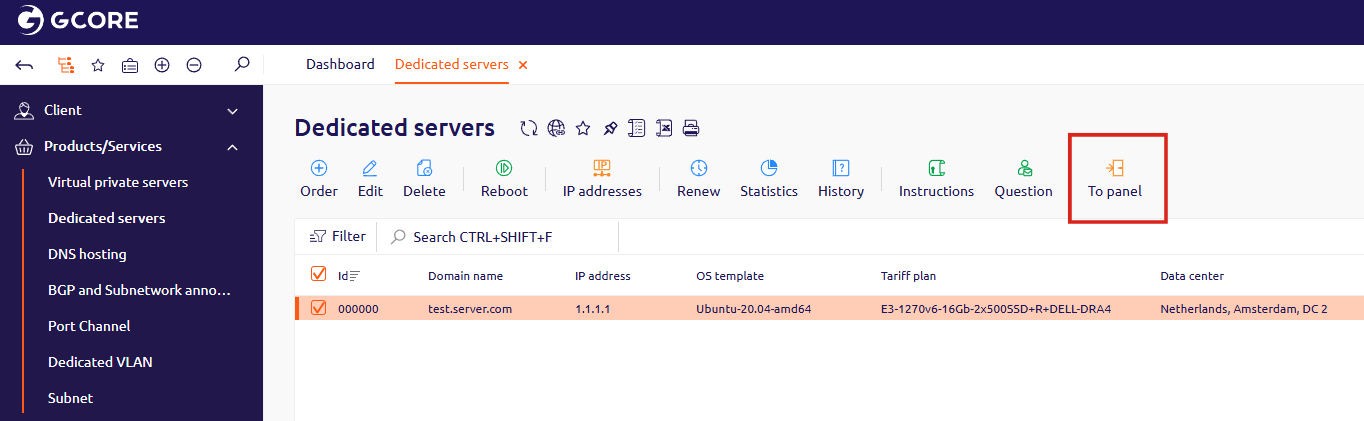
2
Open the IPMI interface
In DCImanager, select the server from the list. In the detail panel that opens, find IPMI v2(lanplus) in the Connections section and click Go to. The IPMI interface opens in a new browser tab.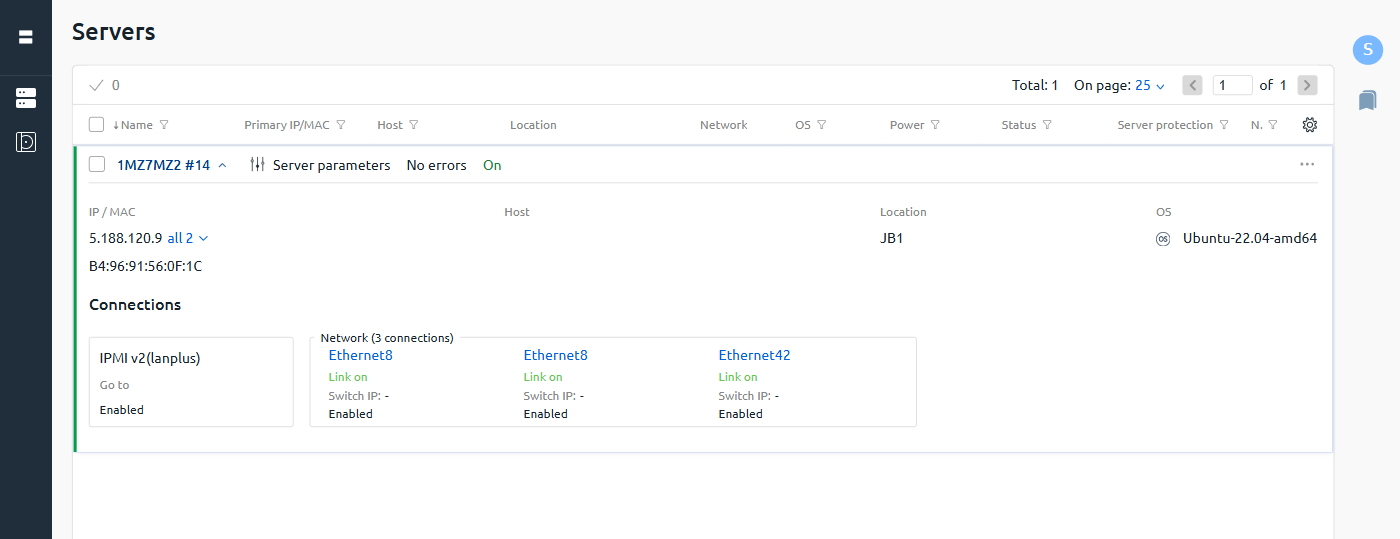
3
Log in
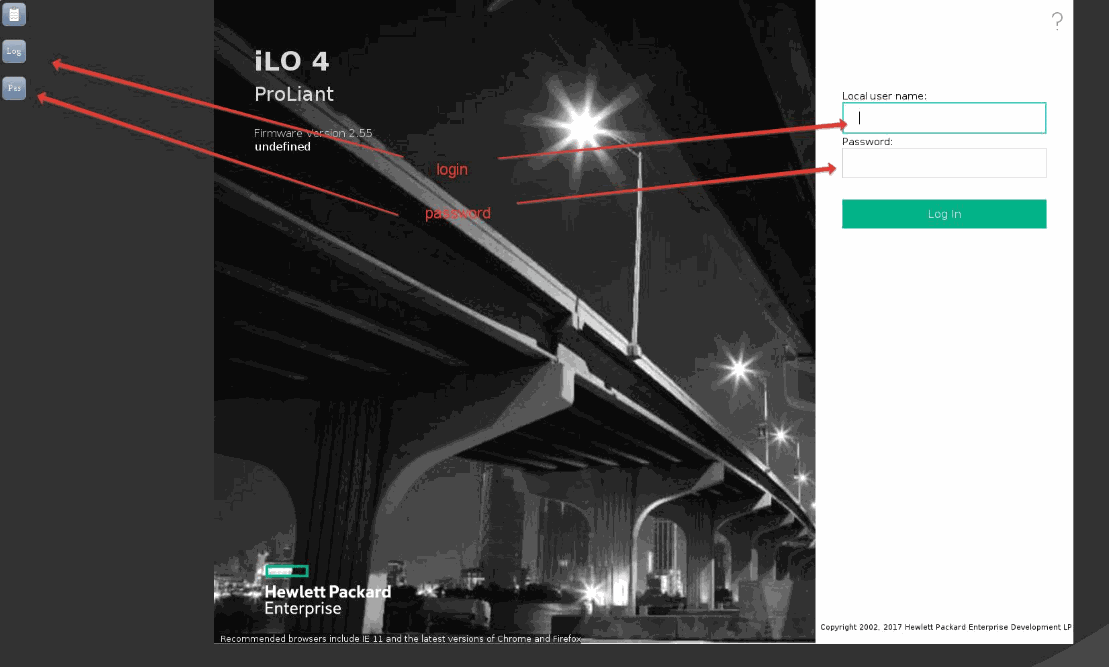
Enter the Local user name and Password, then click Log In.