Run a test
1
Open Looking Glass
Navigate to lg.gcore.lu.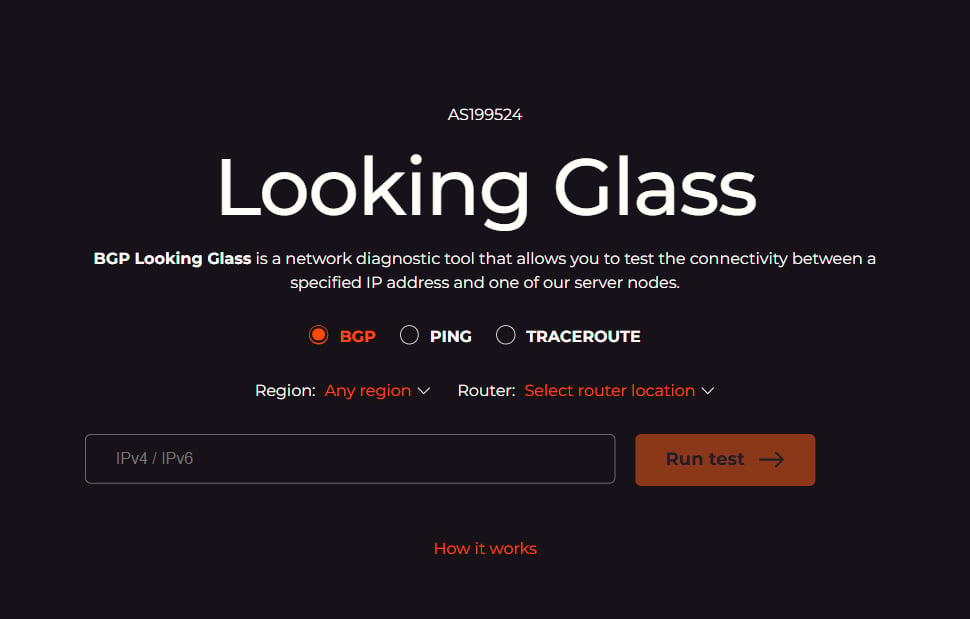
2
Select a command
Select one of the three test commands:
- BGP — shows the BGP routing path between the selected router and the IP address, including autonomous system (AS) hops, next-hop addresses, BGP communities, and local preference values.
- PING — measures round-trip time (RTT) and time to live (TTL) for packets sent from the selected Gcore router to the IP address.
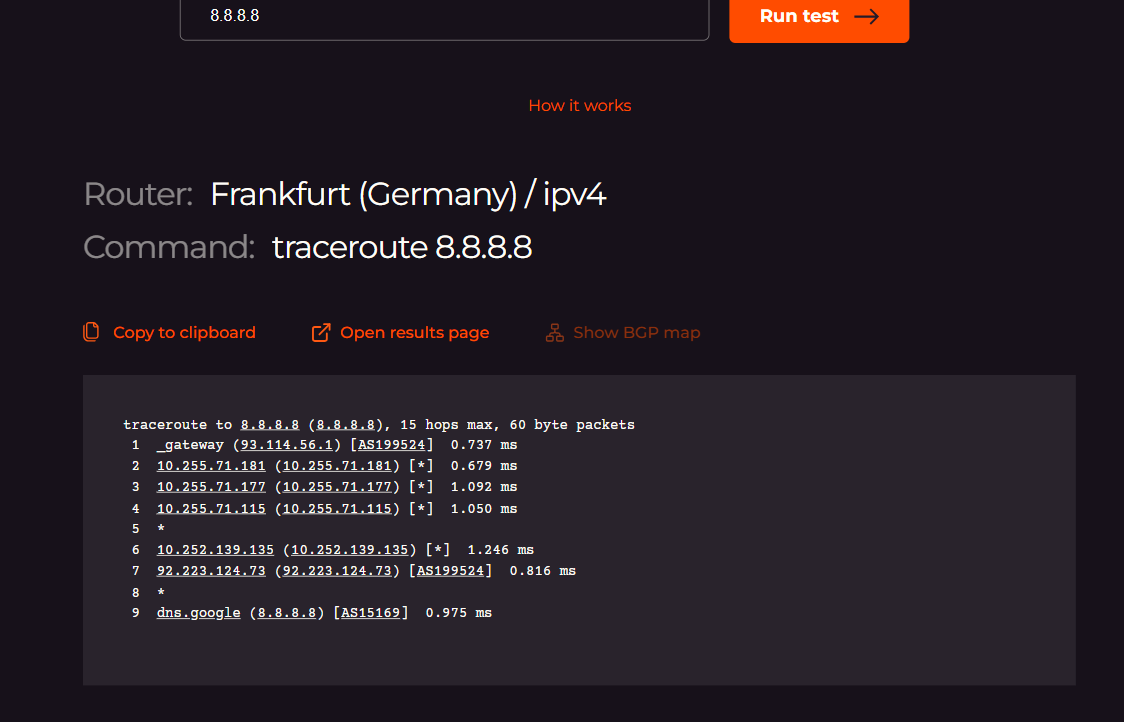
- TRACEROUTE — traces the hop-by-hop path from the selected Gcore router to the IP address, showing each intermediate router and round-trip time per hop.
3
Filter by region
Use the Region dropdown to filter the router list by geography: Africa, Asia & Pacific, Europe, Latin America, North America, or Middle East. Select Any region to see all available routers.
4
Select a router
Select a specific Gcore server location from the Router dropdown. The test runs from this location to the IP address entered in the next step.
5
Enter the target IP address
Enter an IPv4 or IPv6 address in the IPv4 / IPv6 field.
6
Run the test
Click Run test. The test may take a few seconds depending on the selected location.
Test results
After the test completes, the results appear below the form. Three actions are available for every result:- Copy to clipboard — copies the raw output as plain text.
- Open results page — opens the result on a dedicated page with a permanent URL for sharing.
- Show BGP map — renders the AS-path as an interactive diagram. Available for all three commands.
PING
Shows per-packet RTT and TTL values, followed by a summary: total packets sent, received, packet loss percentage, and min/avg/max/mean deviation times.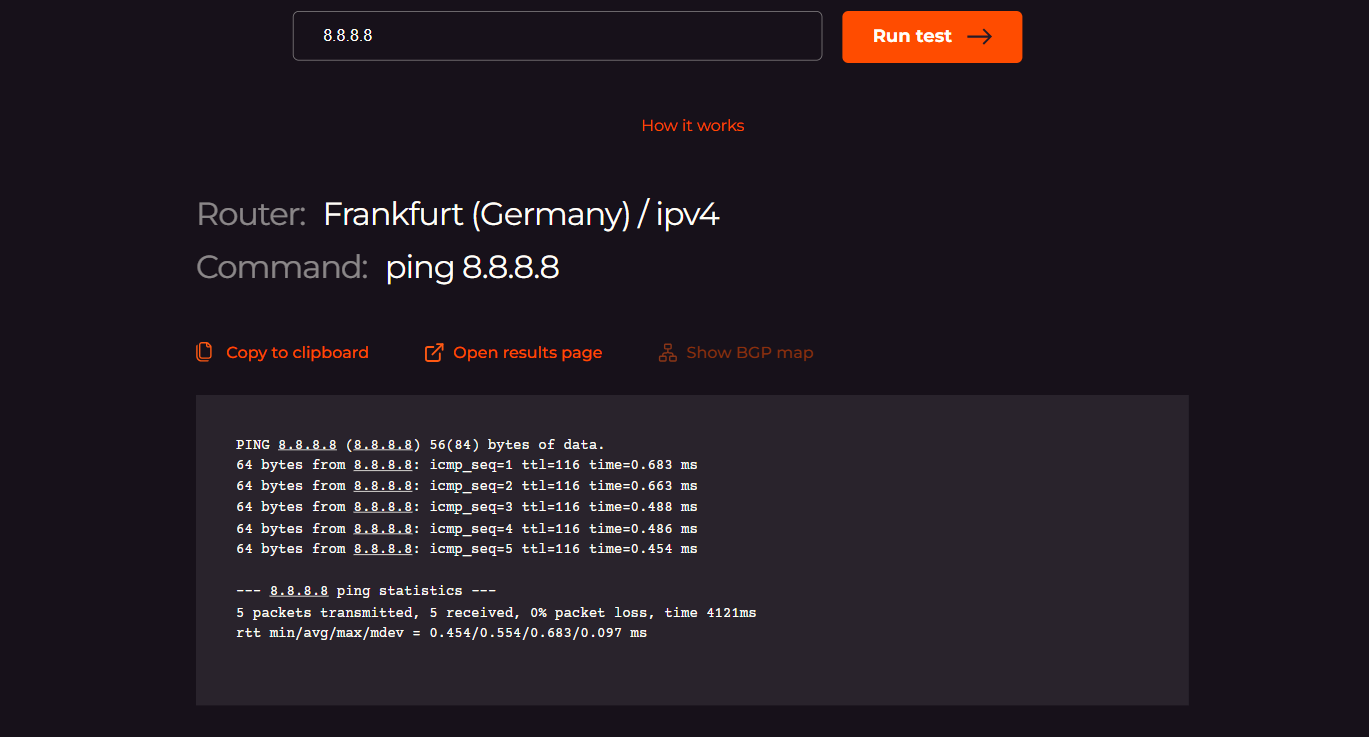
BGP
Shows the BIRD routing table entry for the IP address: the full AS path, next-hop address, BGP communities, local preference, and other routing attributes.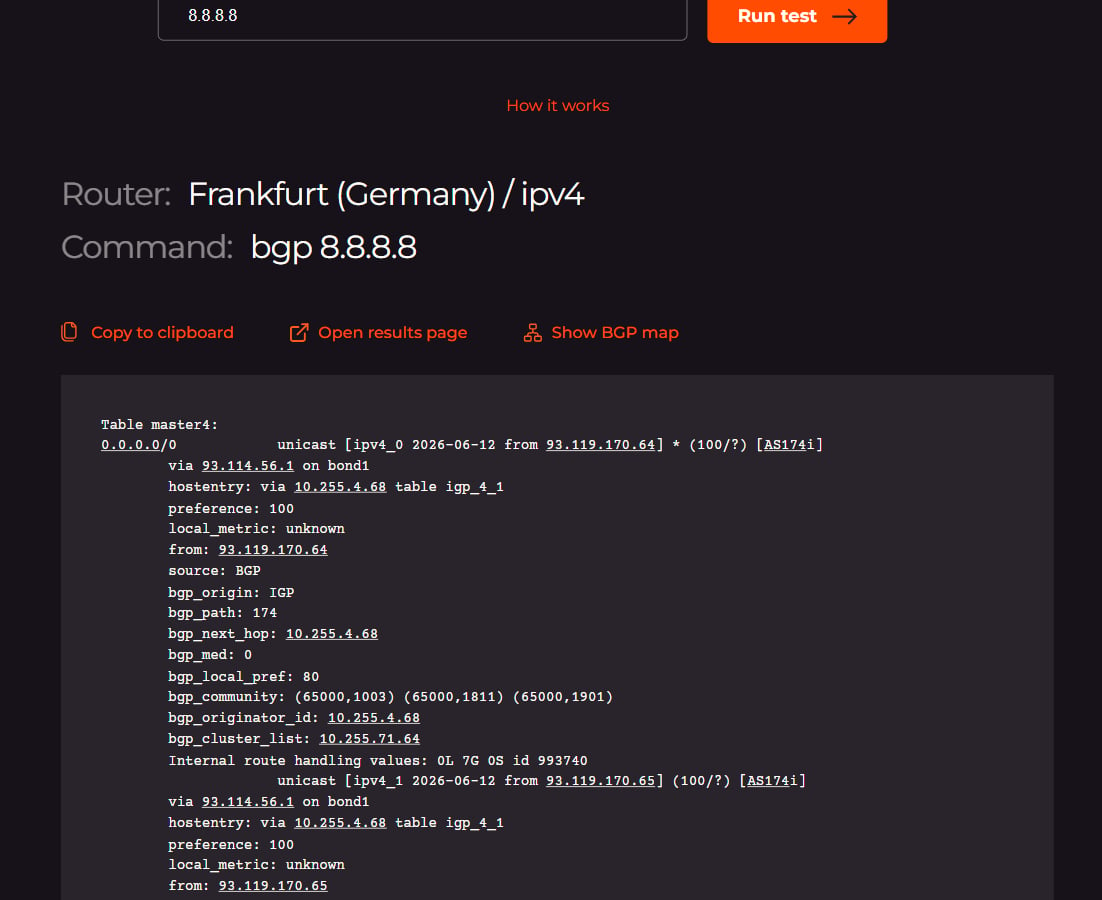
TRACEROUTE
Lists each router hop along the path, showing intermediate IP addresses, AS numbers, hostnames where resolvable, and round-trip time per hop.